Gree GMV6 DC Inverter VRF Units Service Manual
4.2.3 Function Operations
Before setting every function, perform the following steps to select the function you want to set. The
following premise steps will not be repeated.
Premise steps for function setting:
Step 1:
Open the commissioning window on the main board of the master unit.
Step 2:
Power on the entire system.
Step 3:
Press and hold the SW1 up button on the master unit for over 5 seconds. The system enters
the function setting status. The master unit displays as follows by default, and other modules display
current statuses.
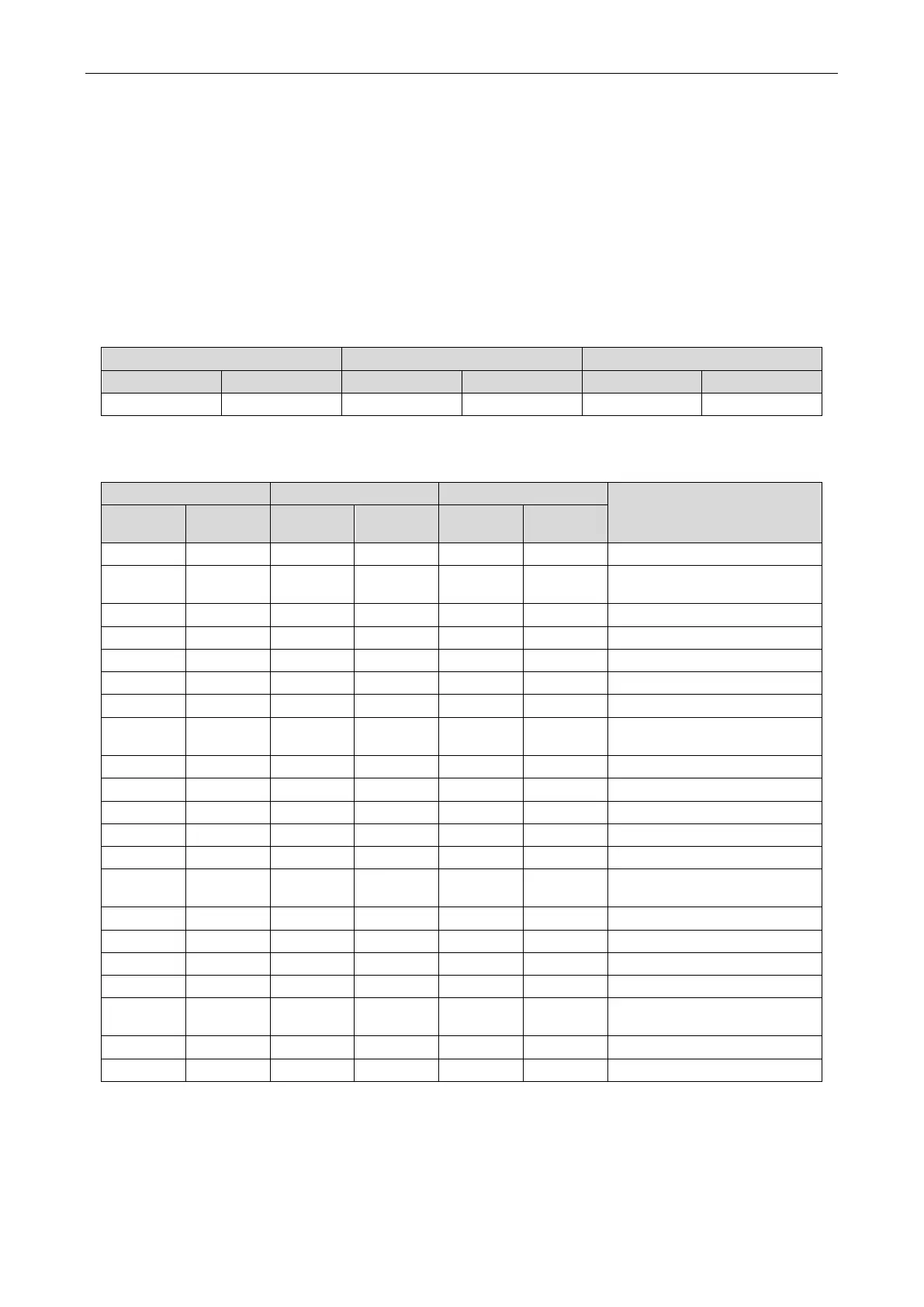
LED1 LED2 LED3
Function code Display status Current process Display status Current status Display status
A7
00 Blinks 00 Blinks
Press the SW1 up button and the SW2 down button on the master module to select the
corresponding function/parameter:
LED1 LED2 LED3
Function Name
Function
Display
Current
Display
Current
Display
A6 Blinks 00 Blinks 00 Blinks
Cooling/heating of the entire
A8 Blinks 00 Blinks 00 Blinks After-sales vacuum pumping
n5 Blinks 00 Blinks 00 Blinks
Indoor unit engineering SN
Outdoor unit static pressure
Compressor emergency setting
4J Blinks 00 Blinks 00 Blinks
emergency setting of
Outdoor static pressure setting
Efficient module rotation
Adaptive control of noise
4q Blinks 00 Blinks 00 Blinks
Forced switch of the electric
5L Blinks 00 Blinks 00 Blinks Fan reverse dust removal
After selecting the function to be set, press the SW3 confirm button to enter the function setting. The
master module displays as follows:


 To Next Page
 Loading...