EasyManua.ls Logo

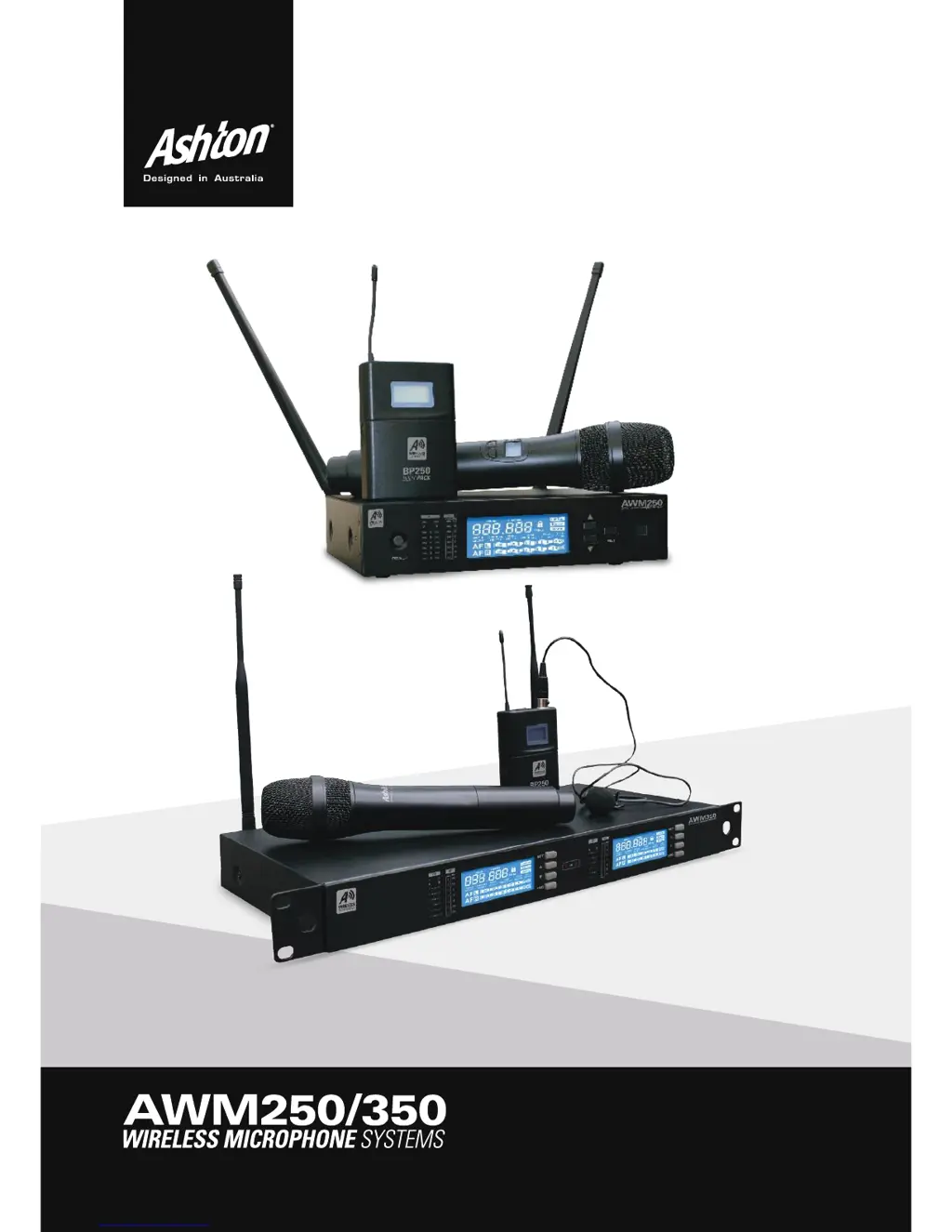
Ashton AWM250 - User Manual

Ashton AWM250
13 pages
Print Icon
To Next Page IconTo Next Page
Loading...
1
User Manual

Questions and Answers

  • N
    Natalie YatesAug 11, 2025
    Why does my Ashton Microphone system have distortion and noise?
    • H
      Henry ReynoldsAug 11, 2025
      If you're experiencing distortion or noise with your Ashton Microphone system, and the receiver's LED display indicates the antenna is valid, ensure the receiver is a reasonable distance away from RF generating equipment like CD players, computers, and digital signal processors. Try changing the frequency of both the transmitter and receiver. Turn down the gain of the transmitter. You may also need to replace the transmitter's battery. If using multiple systems, increase the bandwidth of the frequency.
  • M
    Miss Samantha StewartAug 17, 2025
    What to do if the distortion level increases gradually on my Ashton AWM250?
    • C
      Carlos ClarkAug 18, 2025
      If the distortion level of your Ashton Microphone system increases gradually, the battery life LED may be flickering. Replace the battery of the transmitter.
  • B
    Brittney GreerAug 26, 2025
    How to adjust sound levels on my Ashton AWM250 Microphone system to match a cabled input?
    • J
      Jeffrey GutierrezAug 26, 2025
      If the sound level from the Ashton Microphone system receiver differs from that of a cabled guitar or microphone, adjust the transmitter's gain and the receiver's volume as needed.
  • B
    Brandon HallNov 2, 2025
    What to do if my Ashton Microphone system has no sound?
    • M
      Melissa WilliamsNov 2, 2025
      If the Ashton Microphone system has no sound or faint sound, first check if the transmitter's LED is off. If it is, slide the power switch to ON, ensuring the battery terminals match the transmitter terminals. If the receiver's LED is off, attach the power adapter to the DC input on the back of the receiver and plug the other end into a working wall power socket with the correct voltage. If the RF LED on the receiver is illuminated, increase the receiver's volume and the transmitter's gain. Also, verify the cable connections between the receiver and amplifier or mixer. If the RF LED is off but the transmitter's LED is on, move the receiver away from metallic objects and remove any obstructions between the transmitter and receiver. Ensure both the transmitter and receiver are tuned to the s...

Summary

WARNING

General Safety Precautions

Basic safety precautions for using electronic products, including grounding, water, sound levels, and servicing.

INSTRUCTIONS FOR USE

Initial Setup and Connections

Steps for connecting the transmitter antenna, audio cable, and power supply for basic operation.

Manual Channel and Group Selection

Procedure for setting group and manual channel numbers for multiple systems, including adding channels.

PAIRING TRANSMITTER; RECEIVER

IR Pairing Procedure

Step-by-step guide for pairing the transmitter and receiver using the infrared (IR) connection, including distance recommendations.

TROUBLESHOOTING

No Sound or Faint Sound Issues

Solutions for problems related to no or faint audio output from the wireless system.

Distortion of Noise Issues

Troubleshooting steps for audio distortion, noise, and interference issues.

AWM250 PANEL OVERVIEW

Front Panel Controls and Indicators

Detailed explanation of the AWM250 receiver's front panel buttons, displays, and LEDs.

AWM350 PANEL OVERVIEW

AWM350 Front Panel Controls

Explanation of the AWM350 receiver's front panel controls, displays, and indicators.

HANDHELD TRANSMITTER SPECIFICATIONS

Handheld Transmitter Functions

Description of the functions and controls on the handheld transmitter, including grill, LCD, power, mute, and IR port.

BODYPACK TRANSMITTER SPECIFICATIONS

Ashton AWM250 Specifications

General IconGeneral
BrandAshton
ModelAWM250
CategoryMicrophone system
LanguageEnglish

Related product manuals