www.asiarf.com
TEL: +886 2 29407880
Copyright © AsiaRF . All rights reserved. While every effort is made to ensure the information is accurate, AsiaRF does not accept
liability for any errors or mistakes that may arise. All specifications are subject to change without notice.
AsisRF Co., Ltd. | www.asiarf.com | (+886) 2 8943 1001 | sales@asiarf.com | Last Updated: 27/07/2023
P.8
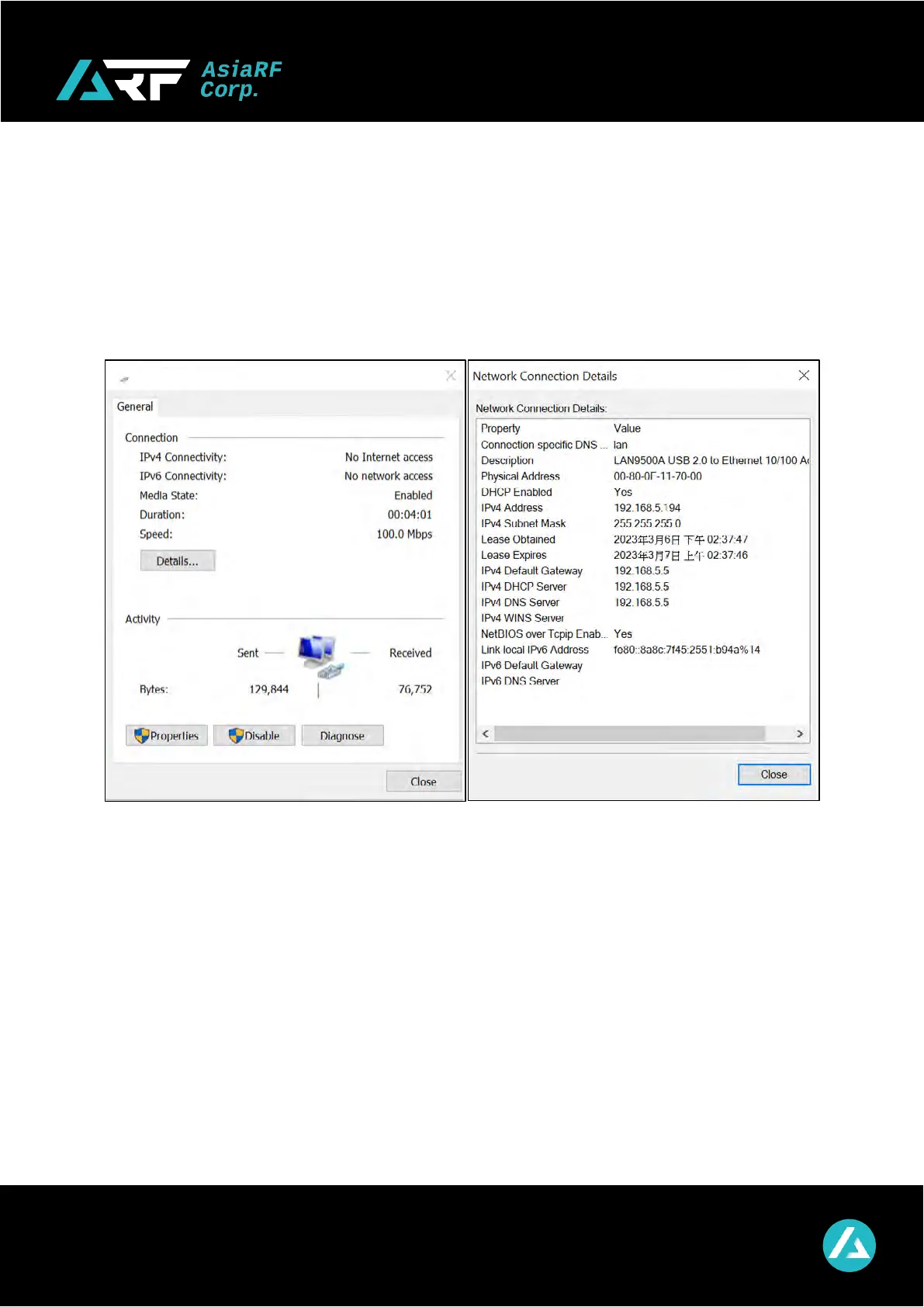
After confirming the new network interface on PC, you can connect to AP7628-UWH with
ethernet. AP7628-UWH will be a Wi-Fi AP (Access Point) at the same time. Before
connecting with the Wi-Fi HaLow
TM
AP, you need to finish the related setting, which can be
found in D.2.1. Connect to device at page 15.


 To Next Page