32
ADS (AUTO DOSE SYSTEM)
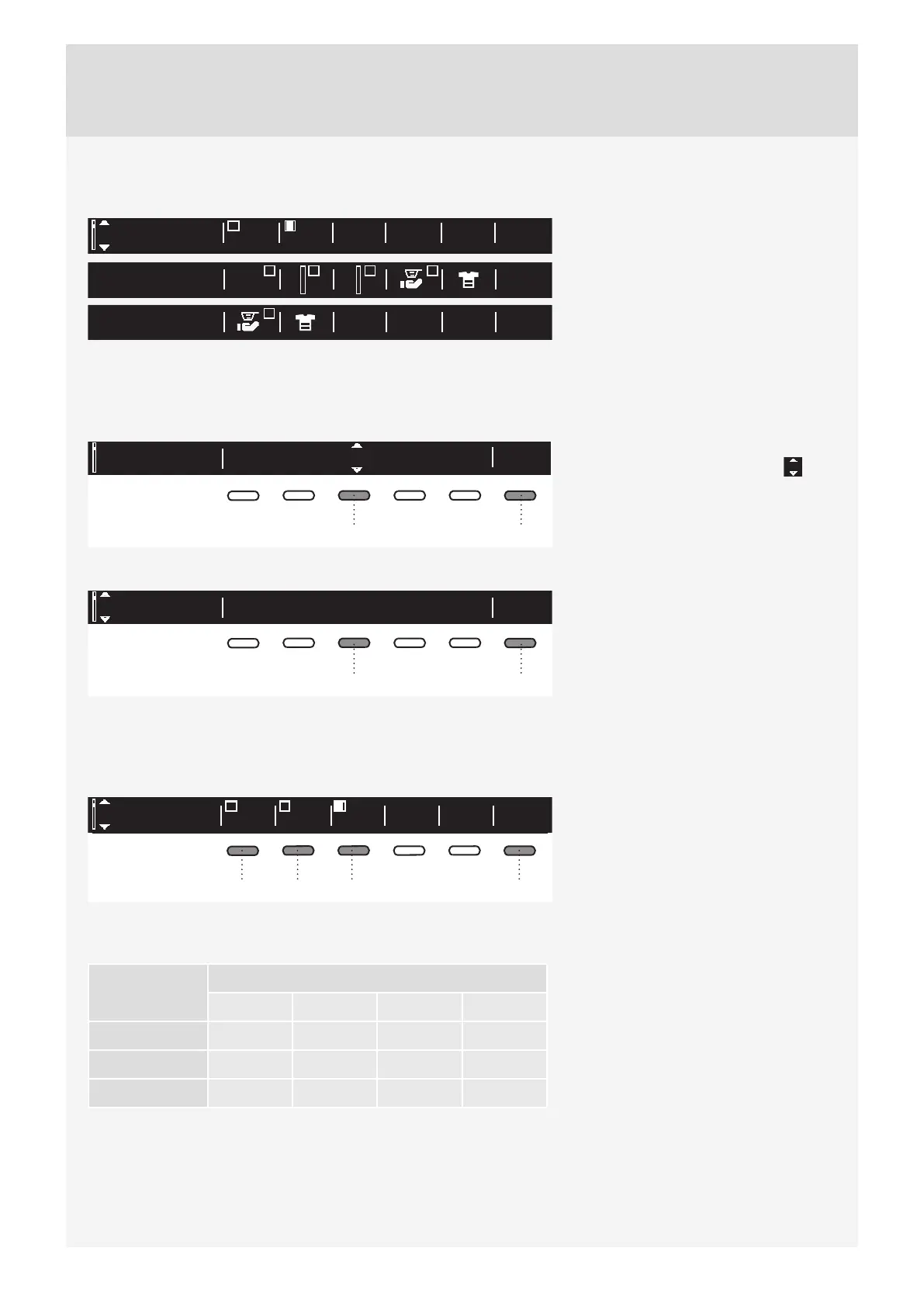
Press the ON/OFF button to switch on/off the ADS display in the Main menu.
For ADS settings, see chapter "SPECIAL
FEATURES".
BA
ON = display the ADS menu in the Main
Menu
OFF = do not display the ADS menu in
the Main Menu
Use the button 6 to return to System
Settings.
LANGUAGE
EU English
Ok
63
You can choose between 24 languages.
Press the button 3 for the arrows
to appear. Use the Program selector
knob or the button 3 to scroll the list of
languages.
Use the button 6 to confi rm the selected
language.
EU English
63
Use the button 6 to return to System
Settings.
WATER (WATER HARDNESS)
Use the 1, 2, or 3 key to select water hardness, choosing between the following options: hard, normal, and
soft.
Russian
Language Back
Back24Auto Dosing
MainB
White
24
MainA
Colour
132 6
Use the 6 key to return to System
Settings.
Water hardness can be measured with a water hardness indicator (available in a pharmacy). Check the
information on water hardness with your local water supply company or authority.
Water
hardness
Hardness levels
°dH (°N) m mol/l °fH(°F) p.p.m.
1 – soft < 8,4 < 1,5 < 15 < 150
2 – normal 8,4 - 14 1,5 - 2,5 15 - 25 150 - 250
3 – hard > 14 > 2,5 > 25 > 250
Water hardness is specifi ed using the following scales: The German water hardness scale (°dH) and the
French water hardness scale (°fH).
Contact the local waterworks, or measure the water hardness using the supplied test strip, to check the water
hardness in your area.


 To Next Page