44
2.13 Serial ATA3 (SATA3) Hard Disks Installation
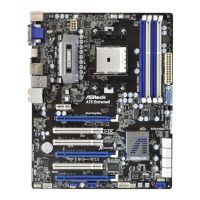
This motherboard adopts AMD A75 FCH (Hudson-D3) chipset that supports Serial
ATA3 (SATA3) hard disks and RAID (RAID 0, RAID 1 and RAID 10) functions for
SATA3_0 to SATA3_5 connectors. It also adopts ASMedia ASM1061 chipset that
supports Serial ATA3 (SATA3) hard disks for SATA3_A1 and SATA3_A2 connectors.
You may install SATA3 hard disks on this motherboard for internal storage devices.
This section will guide you to install the SATA3 hard disks.
STEP 1: Install the SATA3 hard disks into the drive bays of your chassis.
STEP 2: Connect the SATA power cable to the SATA3 hard disk.
STEP 3: Connect one end of the SATA data cable to the motherboard’s SATA3 con-
nector.
STEP 4: Connect the other end of the SATA data cable to the SATA3 hard disk.
Please be noted that SATA3_A1 and SATA3_A2 do not support RAID func-
tion. If you want to use RAID function on SATA3 connectors, please use
SATA3_0 to SATA3_5 connectors.
2.14 Hot Plug and Hot Swap Functions for SATA3 HDDs
This motherboard supports Hot Plug and Hot Swap functions for SATA3 in RAID
/ AHCI mode. AMD A75 FCH (Hudson-D3) and ASMedia ASM1061 chipsets
provide hardware support for Advanced Host controller Interface (AHCI), a new
programming interface for SATA host controllers developed thru a joint industry
effort.
NOTE
What is Hot Plug Function?
If the SATA3 HDDs are NOT set for RAID conguration, it is called “Hot
Plug” for the action to insert and remove the SATA3 HDDs while the system
is still power-on and in working condition.
However, please note that it cannot perform Hot Plug if the OS has been
installed into the SATA3 HDD.
What is Hot Swap Function?
If SATA3 HDDs are built as RAID 1 then it is called “Hot Swap” for the ac-
tion to insert and remove the SATA3 HDDs while the system is still power-
on and in working condition.


 To Next Page
 Loading...