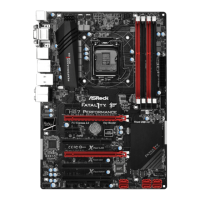
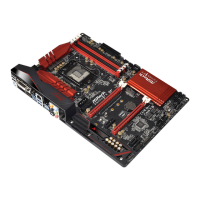
Fatal1ty H97 Performance Series
13
English
ASRock Full HD UEFI
All new Full HD UEFI with a resolution of 1920 x 1080. e UEFI should be de-
signed easy to use and setup. With Full HD resolution, now it is much easier and
clearer for all users to setup, optimize, and update their BIOS.
ASRock My Favorites in UEFI
Another handy design in ASRock UEFI. You can select and add commonly used
BIOS options to “My Favorites” by clicking the asterisk icon at the upper right hand
corner of the screen. ese chosen options will show up on “My Favorites” page in
UEFI.
ASRock UEFI Guide
Need help to optimize your UEFI setting? Got lost among UEFI pages? Just select
“UEFI Guide”! e tutorial will explain every detailed setting and help you to cus-
tomize your UEFI easily.
ASRock Instant Flash
ASRock Instant Flash is a BIOS ash utility embedded in Flash ROM. is conve-
nient BIOS update tool allows you to update the system BIOS in a few clicks without
preparing an additional oppy diskette or other complicated ash utility. Just save
the new BIOS le to your USB storage and launch this tool by pressing <F6> or
<F2> during POST to enter the BIOS setup menu to access ASRock Instant Flash.
Please be noted that the USB ash drive or hard drive must use FAT32/16/12 le
system.
ASRock Internet Flash
ASRock Internet Flash downloads and updates the latest UEFI rmware version
from our servers for you without entering Windows
®
OS. Please setup network
conguration before using Internet Flash.
ASRock Crashless BIOS
ASRock Crashless BIOS allows users to update their BIOS without fear of failing. If
power loss occurs during the BIOS updating process, ASRock Crashless BIOS will
automatically nish the BIOS update procedure aer regaining power. Please note
that BIOS les need to be placed in the root directory of your USB disk. Only USB 2.0
ports support this feature.



 To Next Page
 Loading...