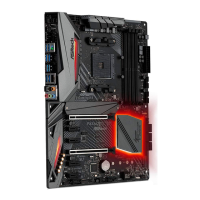
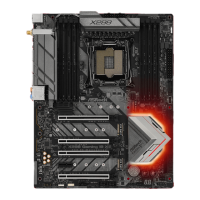
Fatal1ty X370 Gaming X Series
Please note that only one cable should be used at a time in this step.
If you select AMD_FAN_LED1, please install ASRock utility "ASRock RGB LED".
If you select USB connector, please install AMD utility "SR3 Settings Soware".
*e diagram shown here are for reference only. Please refer to page 31 for the orientation of AMD Fan
LED Header (AMD_FAN_LED1) and page 28 for the orientation of AMD LED Fan USB Header (USB_5).
2.3 Installing Memory Modules (DIMM)
is motherboard provides four 288-pin DDR4 (Double Data Rate 4) DIMM slots,
and supports Dual Channel Memory Technology.
DDR4 UDIMM Maximum Frequency Support
A-Series APUs:
Ryzen CPUs:
SR: Single rank DIMM, 1Rx4 or 1Rx8 on DIMM module label
DR: Dual rank DIMM, 2Rx4 or 2Rx8 on DIMM module label
UDIMM Memory Slot
Frequency
(Mhz)
A1 A2 B1 B2
- SR - - 2400
- DR - - 2400
- SR - SR 2400
- DR - DR 2133
SR SR SR SR 1866
SR/DR DR SR/DR DR 1866
1. For dual channel conguration, you always need to install identical (the same
brand, speed, size and chip-type) DDR4 DIMM pairs.
2. It is unable to activate Dual Channel Memory Technology with only one or three
memory module installed.
3. It is not allowed to install a DDR, DDR2 or DDR3 memory module into a DDR4
slot; otherwise, this motherboard and DIMM may be damaged.
UDIMM Memory Slot
Frequency
(Mhz)
A1 A2 B1 B2
- SR - - 2667
- DR - - 2667
- SR - SR 2667
- DR - DR 2400-2667
SR SR SR SR 2133-2400
SR/DR DR SR/DR DR 1866-2133


 To Next Page
 Loading...