FM2A58M-HD+
51
English
UEFI le to your USB ash drive, oppy disk or hard drive and launch this
tool, then you can update your UEFI only in a few clicks without prepar-
ing an additional oppy diskette or other complicated ash utility. Please
be noted that the USB ash drive or hard drive must use FAT32/16/12 le
system. If you execute Instant Flash utility, the utility will show the UEFI
les and their respective information. Select the proper UEFI le to up-
date your UEFI, and reboot your system after the UEFI update process is
completed.
Internet Flash
Internet Flash searches for available UEFI firmware updates from our
servers. In other words, the system can auto-detect the latest UEFI from
our servers and ash them without entering Windows OS.
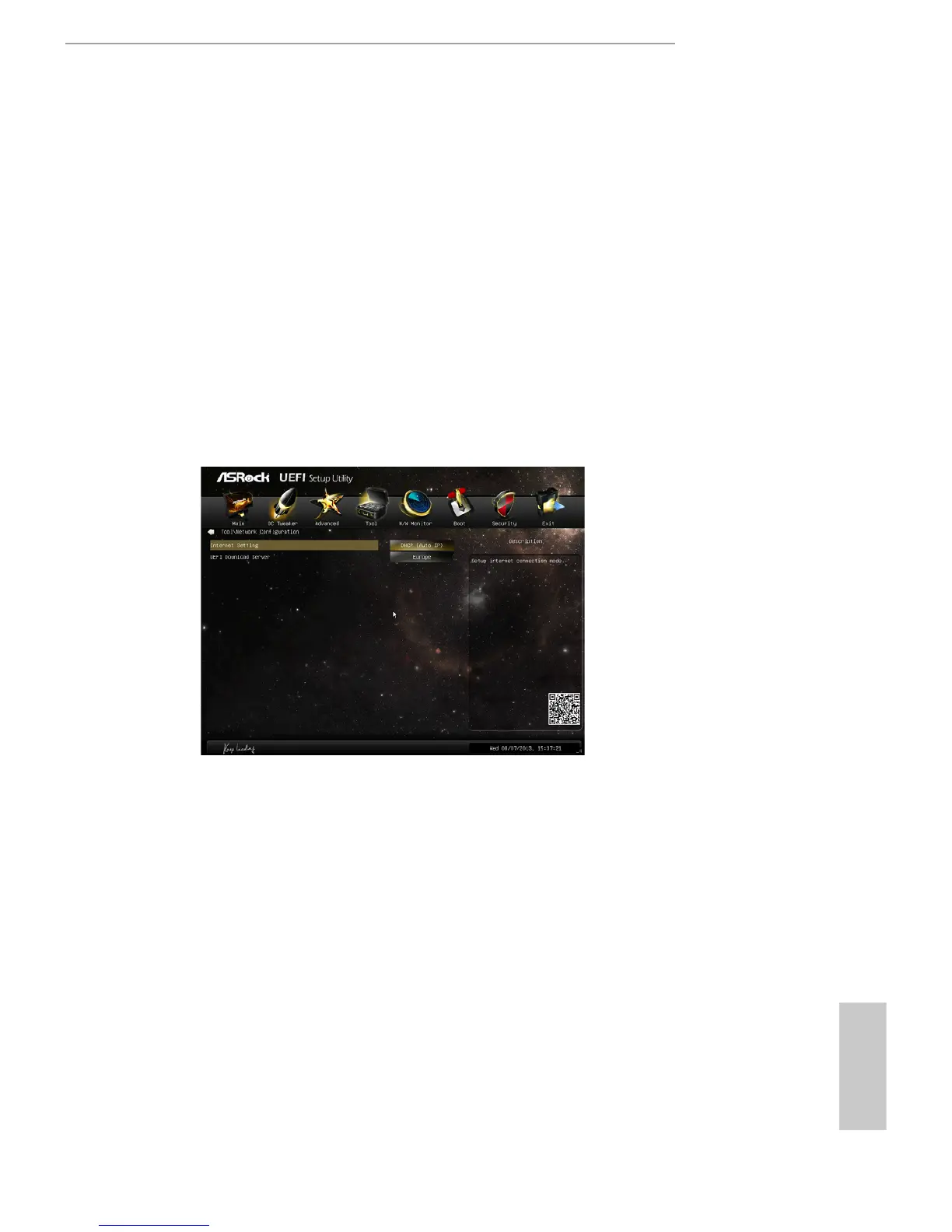
Network Conguration
Internet Setting
Use this item to set up the internet connection mode. Conguration
options: [DHCP (Auto IP)] and [PPPOE].
UEFI Download Server
Use this item to select UEFI rmware download server for Internet Flash.
Conguration options: [Asia], [Europe], [USA] and [China].
Dehumidier Function
Users may prevent motherboard damages due to dampness by enabling
“Dehumidier Function”. When enabling Dehumidier Function, the com-
puter will power on automatically to dehumidify the system after entering
S4/S5 state.




 To Next Page