9
English
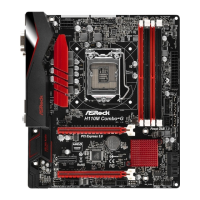
H110M Combo-G
Please realize that there is a certain risk involved with overclocking, including adjusting
the setting in the BIOS, applying Untied Overclocking Technology, or using third-party
overclocking tools. Overclocking may aect your system’s stability, or even cause damage to
the components and devices of your system. It should be done at your own risk and expense.
We are not responsible for possible damage caused by overclocking.
* For detailed product information, please visit our website:
http://www.asrock.com
Hardware
Monitor
•CPU/Chassis temperature sensing
•CPU/Chassis Fan Tachometer
•CPU/Chassis Quiet Fan (Auto adjust chassis fan speed by
CPU temperature)
•CPU/Chassis Fan multi-speed control
•CASE OPEN detection
•Voltage monitoring: +12V, +5V, +3.3V, CPU Vcore, DRAM,
PCH 1.0V, VCCIO, VCCSA
OS
•Microso® Windows® 10 64-bit / 8.1 64-bit / 7 32-bit / 7 64-
bit
* To install Windows® 7 OS, a modied installation disk with
xHCI drivers packed into the ISO le is required. Please refer to
page 138 for more detailed instructions.
* For the updated Windows® 10 driver, please visit ASRock’s
website for details: http://www.asrock.com
Certica-
tions
•FCC, CE, WHQL
•ErP/EuP ready (ErP/EuP ready power supply is required)


 To Next Page
 Loading...