44
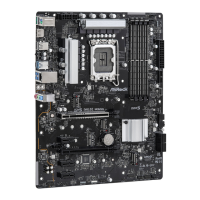
2.14 M.2 SSD Card Installation Guide (M2_GEN5)
e M.2 is a small size and versatile card edge connector that aims to replace mPCIe and
mSATA. e Blazing M.2 Socket (M2_GEN5, Key M) supports type 2280 PCIe Gen5x4 (128
Gb/s) mode.
* If M.2_GEN5 is occupied, PCIE1 will downgrade to x8 mode.
Installing the M.2 SSD Card
Step 1
Prepare a M.2 SSD card.
Step 2
Push and hold the button on the M.2
heatsink (A). en li the heatsink up
o the motherboard (B).
*Please remove the protective lms on
the bottom side of the M.2 heatsink
before you install a
M.2 SSD card.
A
B



 To Next Page
 Loading...