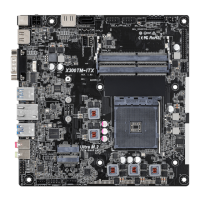
4 5
English
Rear Panel
No. Description No. Description
1 DisplayPort 1.2 5 USB 3.2 Gen1 Type-A Ports
2 D-Sub Port (USB3_34)
3 HDMI Port 6 Line out Jack
4 USB 2.0 Ports (USB_34) 7 LAN RJ-45 Port*
* ere are two LEDs on each LAN port. Please refer to the table below for the LAN port LED indications.
Activity / Link LED Speed LED
Status Description Status Description
O No Link O 10Mbps connection
Blinking Data Activity Orange 100Mbps connection
On Link Green 1Gbps connection
ACT/LINK LED
SPEED LED
LAN Port
1 3
2 5 6
7
4
Chapter 1 Introduction
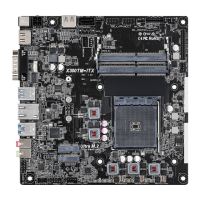
ank you for purchasing X300-ITX / X300-ITX/COM motherboard. In this
documentation, Chapter 1 and 2 contains the introduction of the motherboard and
step-by-step installation guides.
1.1 Package Contents
•
X300-ITX / X300-ITX/COM Motherboard (Deep mini-ITX Form Factor)
•
1 x I/O Panel Shield
•
2 x SATA Cables (Optional)
•
1 x Screw for M.2 Socket (M2*2) (Optional)
•
1 x Screw for WiFi Module (M2*2) (Optional)


 To Next Page
 Loading...