English
3
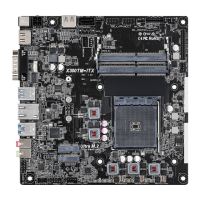
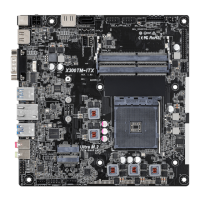
X300TM-ITX
ACT/LINK LED
SPEED LED
LAN Port
982 64
5
31 7
*Specication for DC plug
2.5 mm
5.5 mm
I/O Panel
No. Description No. Description
1 DC Jack** 6 LAN RJ-45 Port*
2 HDMI Port (HDMI1) 7 USB 3.2 Gen1 Type-A Port (USB3_01)
3 COM Port 8 Microphone (Pink)
4 USB 3.2 Gen1 Type-A Port (USB_TA_2) 9 Line out (Lime)
5 USB 3.2 Gen1 Type-C Port (USB_TC_1)
*ere are two LEDs on each LAN port. Please refer to the table below for the LAN port LED indications.
Activity / Link LED Speed LED
Status Description Status Description
O No Link O 10Mbps connection
Blinking Data Activity Green 100Mbps connection
On Link Green 1Gbps connection
** Please use a 19V power adapter for the DC jack. is jack accepts dual barrel plugs with an inner diameter of 2.5
mm and an outer diameter of 5.5 mm, where the inner contact is +19 (±10%) DC and the shell is (centre positive).
DELTA DELTA-ADP-150TB-150W/19V
HP HP-TBC-BA52-150W/19V
FSP FSP-FSP150-ABAN1-150W/19V
DELL FA130PE1-00-130W/19.5V
DELL LA90PE0-01-90W/19.5V
DELTA DELTA-ADP-180TB-180W/19V
FSP FSP-FSP180-ABBN3-180W/19V
is motherboard is available with support for either 4-pin ATX 19V power or DC-in power supplies. Please do
not use two kinds of power supplies at the same time! Doing so may damage the motherboard components and
devices. When you use the DC-in power adapter, please use the onboard SATA power connector to get the power
for HDDs.


 To Next Page
 Loading...