2. Power Mode
B. Wiring
ElectroLynx Opening Installation
This is the simplest installation method, requiring the installer to plug
the ElectroLynx connectors from the exit device to the harness to the
hinge and then to the pigtail, which is connected to the access control
system.
Requirements:
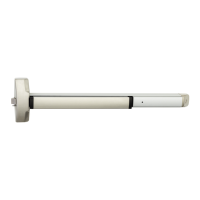
MELR Exit Device
3” ElectroLynx connector harness (not supplied with MELR
option)
McKinney QC ElectroLynx hinge (type of hinge depends on the
application)
ElectroLynx door
Non-ElectroLynx Opening Installation
Standard door with standard electric hinge. Molex connectors with
flying leads purchased separately (See Figure 13 and the Molex
Connectors Table).
To identify part numbers and order harness(es), visit the McKinney
website, www.mckinneyhinge.com, and search the catalog for
ElectroLynx.
If Molex pinned connectors are not available, remove the ElectroLynx
connector from the MELR Exit Device and wire nut the MELR wires
to the wires from the electric hinge (color coordinating wire colors is
recommended).
Power Mode Wiring
Use when wiring in Power Mode. See Figure 13.
NOTE:
Onboard timer will not function in Power Mode. Add external time
delay, if necessary.
The switch is wired between the power supply and the load. Do
not cycle the power supply.
Molex Connectors
Size Both Ends To PINS
3 Inch QC-C003 QC9C003P
6 Inch QC-C006 QC9C006P
12 Inch QC-C012 QC9C012P
Figure 12 - Molex with 12-pin Connector Pinned
Figure 13 - MELR 6000 Series Exit Device
Typical Power Mode Wiring
24VDC
Power Supply
0V (Black)
+24V (Red)
EGND
Green (EGND)
Red (+24V)
Black (0V)
(NO)
(NC)
QC8 Electric Hinge
Maintain or Relay Switch, i.e.,
Card Reader, Access Control, etc.
6000 Series MELR
Exit Devices
Installation Instructions
11
80-8150-0077-000 04/24
Copyright © 2017, 2023, 2024, ASSA ABLOY ACCENTRA™ Access and Egress Hardware Group, Inc. All rights reserved. Reproduction
in whole or in part without the express written permission of ASSA ABLOY Access and Egress Hardware Group, Inc. is prohibited.
1-855-577-5078 Ext. 2 • www.accentra-assaabloy.com



 To Next Page
 Loading...