22
EN
Operating modes
The Bluetooth interface must be activated before pairing with the mobile
device and for Remote Update mode (“Activation”, page23).
Remote Update
The lists in the eCLIQ
®
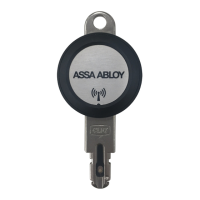
Connect key and the time functions are updated in
Remote Update mode.
No connection to the wireless device is required when closing the door.
Online opening
In Online opening mode the current authorisations are queried from the
remote server after the eCLIQ
®
Connect key has been inserted in the
cylinder.
For this purpose, the mobile device requires an internet connection at
the door.
Authorisation changes by the lockingsystem administrator take effect
immediately.
The release is delayed and is displayed optically and acoustically on the
eCLIQ
®
Connect key and in the CLIQ
®
Connect app.
Operating modes


 To Next Page
 Loading...