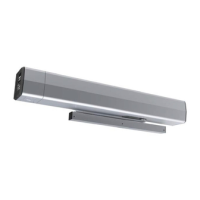
5200 Series Programming Instructions
12
80-9352-0022-020 Rev 2 06/23
Copyright © 2023, ASSA ABLOY Accessories and Door Controls Group, Inc. All rights reserved. Reproduction in whole or in
part without the express written permission of ASSA ABLOY Accessories and Door Controls Group, Inc. is prohibited.
Support
The Support page can be used to restart the operator or restore operator
settings to factory defaults. (Figure 31)
Download Log
The Download Log button allows the user to download a copy of the operator’s
log file. This file can be used by Technical Support for Troubleshooting
assistance.
Click the Download Log button and save the file to a location where it can be
easily accessed for email.
View Log
The View Log button allows the user to view the operator’s log file within the
application.
Restart
The Restart button allows the user to restart the operator without changing any
existing operator settings.
Set Defaults
Pressing the Set Defaults button will return the operator to factory settings and
initiate a restart. Once pressed, a popup is displayed confirming that a restore
will be completed. Press OK to continue or Cancel to keep the current settings.
Figure 31
Troubleshooting and Support
This section provides information to assist in troubleshooting the 5200 Series
operator. If additional assistance is needed beyond the information provided here,
contact Technical Support.
Error Codes for RED POWER LED Flashes
Number
of Flashes
Cause Solution
1 —
Reset the operator to factory defaults by pressing and holding FACTORY RESET button until all
LEDs light up, then release. The unit will reset and the CLOSE button will flash. Repeat the Open/
Closed Positions and Learn processes.
2
24VDC power error
too high or too low.
Check the incoming voltage to the power supply and from the power supply to control board.
3
Error occurred
during Learning
process.
If the door hit obstruction, reset the operator to factory defaults by pressing and holding
FACTORY RESET button until all LEDs light up, then release. Repeat the Open/Closed Positions
and Learn processes.
If the door did not hit obstruction, inspect hinges or door / frame for excessive wear,
misalignment, etc. Replace worn components. Repeat steps to set Open and Closed Positions
and Learn.
4 — Ensure all harnesses are plugged in and secure - focus on motor wires.
5 — Ensure all harnesses are plugged in and secure - focus on harnesses attached to backplate.
6 — Ensure all harnesses are plugged in and secure - focus on main board harnesses.
7 Motor overheating. —
8 — Ensure all harnesses are plugged in and secure - focus on harnesses attached to backplate.
9
TEMP connector
not plugged in.
Plug in the TEMP connector on backplate.
Power LED Error Codes


 To Next Page
 Loading...