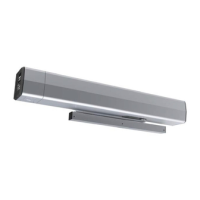
5200 Series Programming Instructions
6
80-9352-0022-020 Rev 2 06/23
Copyright © 2023, ASSA ABLOY Accessories and Door Controls Group, Inc. All rights reserved. Reproduction in whole or in
part without the express written permission of ASSA ABLOY Accessories and Door Controls Group, Inc. is prohibited.
1. Turn on the operator Wi-Fi by toggling the 3-Position
switch on end cap three (3) times. (Figure 11)
To confirm that Wi-Fi has been turned on:
y The red WIFI ENABLED LED on
the operator’s control board will
indicate that Wi-Fi has been
successfully turned on.
(This will only be visible if the
operator cover has been removed.)
y The operator SSID will be displayed in
the mobile device’s list of available Wi-Fi
connections, confirming that Wi-Fi has
successfully been turned on.
(Refer to Step 2 and 3 below)
NOTES:
‒ Wi-Fi automatically turns off after 20 minutes of inactivity.
‒ For further security, Wi-Fi can be turned off immediately by
toggling 3 Position switch again.
‒ The operator serial number and password are located next
to the Network QR code on the operator end cap. (Figure 12)
2. Connect to the operator’s Wi-Fi network.
To manually connect:
‒ Open the Wi-Fi or Networks application on the smart device
and find the associated operator network (beginning with
NDC5200_, followed by the operator’s SSID).
‒ Once found, connect to the network. (Figure 13)
‒ Enter the operator’s password and click “Join”. (Figure 14)
To connect using the Smart Device’s camera:
‒ Open the camera application on the
smart device.
‒ Scan the Network QR Code located on
the switch end cap of the operator to
automatically connect to the product’s
WiFi network.
Figure 11
Toggle
OFF/ON
3x
Figure 12
Figure 13
Operator Setup via Wi-Fi
After the operator has been successfully installed and power has
been applied (refer to “Initial Operator Setup” on page 3), follow these
steps to program the operator via the Wi-Fi application.
Figure 14
NDC5200_
OPERATOR SSID
OPERATOR PASSWORD
A. Connect a mobile device to the operator:
Serial Number
and Password
Network
QR Code


 To Next Page
 Loading...