A U T O M A T I C C O N F I G U R A T I O N
4
Setting up your ASTAK
network camera
This section will guide you through the initial setup of your
Network Camera.
nce you’ve unpacked your camera and verified that all items on the packing
list were included in your package, take the following steps.
1.
Connect the wireless antenna (WiFi version only)
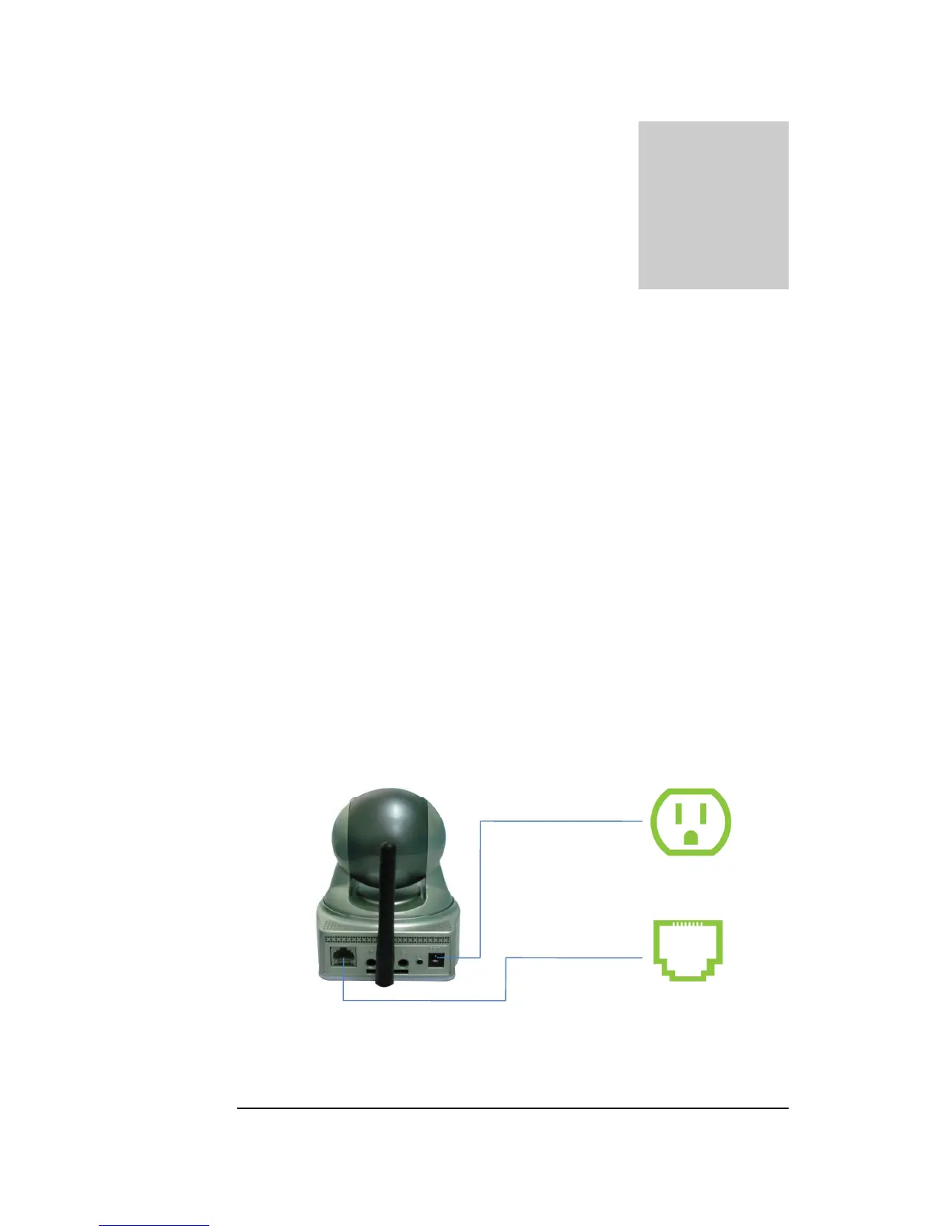
2. Plug the Ethernet (network) cable into the camera and the other end into your
router.
3. Plug the AC power adapter into your camera, then into an 110V wall outlet.
AC Power
Network
(router)


 To Next Page