
EasyManua.ls Logo

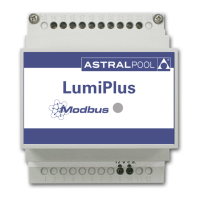
Astralpool LumiPlus FLUIDRA CONNECT - User Manual

Astralpool LumiPlus FLUIDRA CONNECT
29 pages
Print Icon
To Next Page IconTo Next Page
Loading...
1
LUMIPLUS
MODBUS MANUAL V2
© Fluidra, S.A. 2013. All Rights Reserved.
All the trademarks are registered by Fluidra SA and/or its affiliates, or its respective owners. Fluidra
SA and its licensors will own all right, title and interest to the manual, technology and information
including all portions, copies or modifications thereof.
Every effort has been made to ensure that the information given is correct. However, due to
continuous product improvement, Fluidra reserves the right to make changes to products and
technical data without prior notice.

Questions and Answers

  • S
    selliottAug 5, 2025
    What to do if Astralpool Buses Slave does not execute some requests?
    • J
      Jason CaseyAug 5, 2025
      If the Astralpool Buses slave isn't executing requests or the message error rate is high, ensure you're using twisted shielded cable according to EN50170, especially with long bus cables or in environments with high electromagnetic pollution. Also, verify the cable shielding is connected to ground in both the Master and Slaves. Check the termination resistors. You may also need to configure a lower baudrate in Master and Slaves.
  • E
    Emily MooreAug 12, 2025
    How to troubleshoot when Astralpool LumiPlus FLUIDRA CONNECT Master does not receive any response?
    • J
      Joshua GrayAug 12, 2025
      If the Astralpool Buses Master isn't receiving responses, verify the following: * Cable polarity A,B. * Ground connection between Master and Slave. * For long bus cables, check the termination resistors. * Baudrate and bit settings are the same on Master and Slaves. * The Master is including the CRC in the sending, according to Modbus standard. * The function requested is supported by the Slave. * The Slave address is the one you are using in the request. If unsure, isolate the Slave and execute a 'discovery' process in the Master. If the master doesn't have this process, manually check the slave addresses from 1 to 255 with different baudrates and bit configurations supported by the Slave.
  • U
    uhenryAug 20, 2025
    What to do if Astralpool Buses Slave does not execute any request?
    • P
      Phillip MooreAug 21, 2025
      If the Astralpool Buses Slave does not execute any request, verify the following: * Cable polarity A,B. * Ground connection between Master and Slave. * For long bus cables, check the termination resistors. * Baudrate and bit settings are the same on Master and Slaves. * The Master is including the CRC in the sending, according to Modbus standard. * The function requested is supported by the Slave. * The Slave address is the one you are using in the request. If unsure, isolate the Slave and execute a 'discovery' process in the Master. If the master doesn't have this process, manually check the slave addresses from 1 to 255 with different baudrates and bit configurations supported by the Slave.
  • T
    Teresa Mcmillan MDAug 28, 2025
    Why am I getting unexpected WatchDog errors with Astralpool Buses?
    • M
      Maria ThomasAug 28, 2025
      Unexpected WatchDog errors with Astralpool Buses can occur if the 'messages error rate' of the bus is too high or if the bus is saturated with messages. In the latter case, the time between two messages to the same Slave could be bigger than the WatchDog time configured in the Slave. To resolve this, increase the WatchDog time in the Slave or increase the baudrate of the bus (Master and Slaves).

Summary

Introduction to Modbus and Product

Principle of Operation

Explains how Lumiplus uses Modbus-RTU for control and supervision.

Basic Characteristics

Describes the Master/Slave implementation and RS485 connection for Lumiplus.

Electrical Connections

Cable Characteristics

Details recommended wiring for Modbus-RTU, cable length, and impedance.

Bus Isolation and Termination Resistors

Panel Indicator

Modbus Functions

Functions Supported

Lists supported Modbus functions for bit and register access modes.

Exception Responses

Mentions exception responses implemented according to the Modbus standard.

Device Description and Configuration

General Description

Explains Modbus vs. remote control interaction and hexadecimal notation.

State Machine Diagram

Illustrates the operational states of the Lumiplus system.

Address and Baud Rate Selection

Details how to set the Modbus address and baud rate.

Broadcasting

States that broadcasting is not supported by the Lumiplus.

Watchdog

Introduces the watchdog feature for communication monitoring.

Watchdog Triggering

Watchdog Setup

Watchdog Predefined Color;Sequence

Operation Modes

Basic Mode

Introduces the basic operational mode of the Lumiplus.

Start Predefined Color;Sequence

Configures the initial color/sequence upon power-on.

Checking Current State

Explains how to read the current operational state and alarms.

Actuator Change Request

Describes sending requests via registers or coils for actuator control.

Request ON

Details how to turn the Lumiplus lights ON via Modbus.

Request OFF

Details how to turn the Lumiplus lights OFF via Modbus.

Changing Color

Outlines steps to change the color, including choosing and updating.

Changing Sequence

Outlines steps to change the sequence, including choosing and updating.

Changing Speed

Outlines steps to change the speed, including choosing and updating.

Sleep Time

Configuration of sleep mode and available sleep times.

Checking Latched Alarms Register

Explains how to check latched alarms, specifically watchdog alarms.

Checking Instantaneous Error Register

Details checking for current errors using status and input registers.

Basic Modbus-RTU Register Map

Troubleshooting Guide

Master No Response

Solutions for when the Master does not receive responses from the slave.

Slave No Request Execution

Solutions for when the Slave does not execute requests from the Master.

High Message Error Rate

Solutions for high message error rates or slave request issues.

Unexpected Watchdog Errors

Solutions for unexpected watchdog error events.

Product Revision

Astralpool LumiPlus FLUIDRA CONNECT Specifications

General IconGeneral
BrandAstralpool
ModelLumiPlus FLUIDRA CONNECT
CategoryBuses
LanguageEnglish