UK HOW TO CONNECT THE SMARTPHONE TO THE PUMP
Step 1: Download the Ma piscine app from the App Store or Google Play.
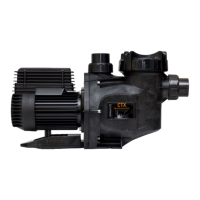
Step 2: Turn on the pump.
Step 3: Enable the Wi-Fi connection of the smartphone and, among the available networks, connect to the MP1_xxxxxx
network (xxxxx is the identification number of each pump). If you have more than one pump, turn on one at a time to be
able to identify each Wi-Fi network and take note of it if it’s necessary.
Step 4: Open the Ma piscine app.
ES COMO CONECTAR EL SMARTPHONE A LA BOMBA
Step 1: descargue la aplicación Ma piscine desde App Store o Google Play.
Step 2: Enciende la bomba.
Step 3: Active la conexión Wi-Fi del teléfono inteligente y, entre las redes disponibles, conéctese a la red MP1_xxxxxx
(xxxxx es el número de identificación de cada bomba). Si tiene más de una bomba, enciéndala de una en una para poder
identificar cada red Wi-Fi y grabarla si es necesario.
Step 4: Abre la aplicación Ma piscine.
NL HOE DE SMARTPHONE AAN DE POMP TE VERBINDEN
Stap 1: Download de app Ma piscine in de App Store of Google Play.
Stap 2: Activeer de pomp.
Stap 3: Activeer de WiFi-verbinding van de smartphone en verbind met het netwerk MP1_xxxxxx (xxxxx ins het
identificatienummer van elke pomp). Indien meerdere pompen in gebruik zijn, de pompen een voor een benaderen om de
pompen te identificeren. Maak notities indien nodig.
Stap 4: Open de Ma piscine.
DE SO SCHLIESSEN SIE DAS SMARTPHONE AN DIE PUMPE AN
Schritt 1: Laden Sie die Ma piscine-App aus dem App Store oder von Google Play herunter.
Schritt 2: Schalten Sie die Pumpe ein.
Schritt 3: Aktivieren Sie die Wi-Fi-Verbindung des Smartphones und stellen Sie unter den verfügbaren Netzwerken eine
Verbindung zum MP1_xxxxxx-Netzwerk her (xxxxx ist die Identifikationsnummer jeder Pumpe). Wenn Sie mehr als eine
Pumpe haben, schalten Sie jeweils eine Pumpe ein, um das WLAN-Netzwerk der einzelnen zu lokalisieren und
möglicherweise zu notieren.
Schritt 4: Öffnen Sie die Ma piscine App.
IT COME CONNETTERE LO SMARTPHONE ALLA POMPA
Step 1: Scaricare la app Ma piscine da App Store o Google Play.
Step 2: Accendere la pompa.
Step 3: Abilitare la connessione Wi-Fi dello smartphone e, tra le reti disponibili, collegarsi alla rete MP1_xxxxxx (xxxxx è il
numero identificativo di ogni pompa). Se si possiede più di una pompa, accenderne una alla volta per poter individuare la
rete Wi-Fi di ognuna ed eventualmente prenderne nota.
Step 4: Aprire la app Ma piscine.


 To Next Page
 Loading...