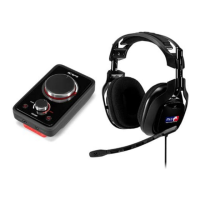
ASTRO GAMING
CONFIDENTIAL 2013
EYES ONLY
010185
ASTRO AUDIO
SUPERIOR
TOURNAMENT
COMPETITIVE
System Configuration // MAC
2
3
5
6
4
1
Power on the Mac, then the MixAmp™ Pro.
MixAmp
TM
Pro Power Button
*STAND BY *POWER ON
To enable Voice Chat; go to “Settings,”
select “Sound,” then “Input.” Select
“ASTRO MixAmp™ Pro.”
PREFERENCES
To enable Game Audio, go to “Settings,” select
“Sound,” then “Output” and choose “Digital Out.”
PREFERENCES
Back of MixAmp
TM
Transmitter
Plug Micro-USB Cable into MixAmp
TM
Pro
and MAC for power.
USB Port on PC
Back of MixAmp
TM
Transmitter
Attach the 3.5mm optical adapter** to the mini-
optical cable, then plug into the MixAmp™ Pro
and Mac 3.5mm optical port.
**sold separately
Optical Port on PC
The MixAmp™ Pro and MAC are set up and ready
to go. Game on!
MIN MAX



 To Next Page