1. Variable resistor: Turn it clockwise to turn up the volume and
anticlockwise to turn down the volume.
2. : Press it shortly to turn ON or turn OFF.
3. FUNC: Press it shortly to switch over the functions.
4. : Press it shortly in Radio status to switch channels forward.
5. : Press it for a longer time for Bluetooth search and pair and press
it shortly to play or pause.
6. : Press it shortly in Radio status to switch channels backward.
7. MEM+: Press it shortly in Radio status to select the radio stations
saved in the memory.
8. LIGHT: Press it shortly to turn ON or turn OFF the flashlight and press
it for a longer time to flicker the flashlight.
9. Lamp cup: Location of flashlight luminescent lamp cup.
10. Blue lamp: The Bluetooth indicator lamp
11. Red and green lamp: The red lamp keeps ON in the standby status
and the green lamp will turn on in startup status ( except for the
Bluetooth functions ).
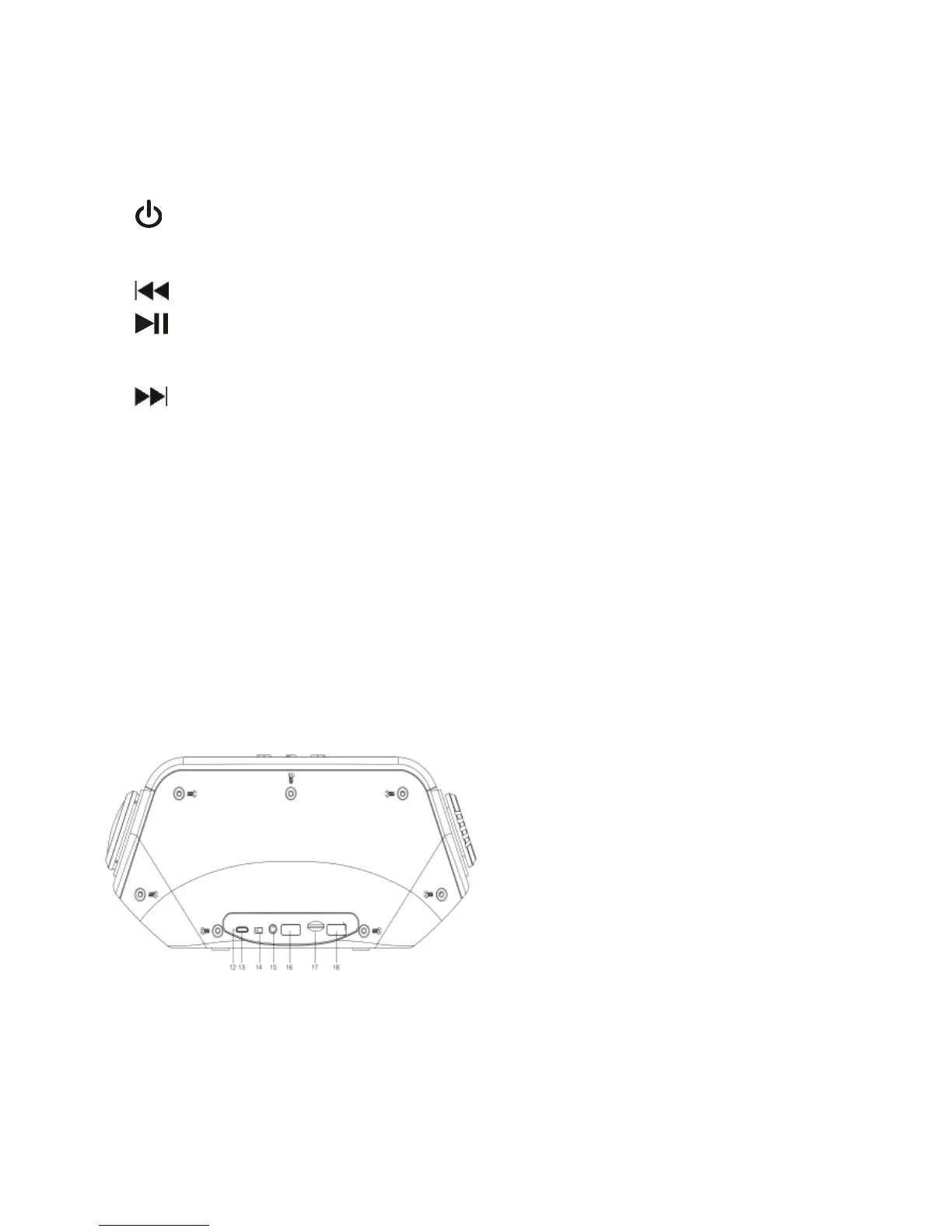
12. ◎: The indicator lamp of the built-in 3.7 V lithium battery
13. DC 5V: DC5V power supply and charge jack
14. ON/OFF: Power ON/OFF key.
15. AUX: External audio input jack ( specifications: 3.5mm plug )



 To Next Page