Notebook PC User Guide
5
Getting started
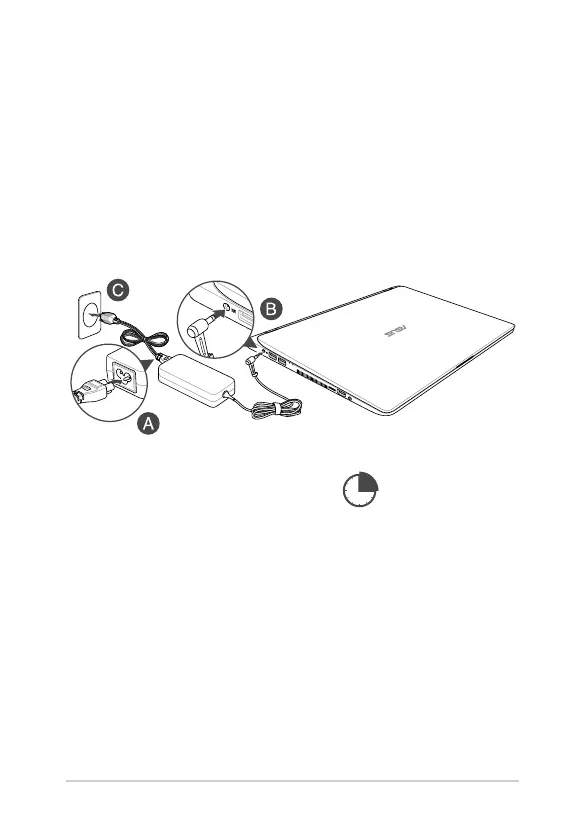
1. Charge your Notebook PC
A. Connect the AC power cord to the AC/DC adapter.
B. Connect the DC power connector into your Notebook PC’s power (DC) input port.
C. Plug the AC power adapter into a 100V~240V power source.
NOTE: The power adapter may vary in appearance, depending on models
and your region.
2. Lift to open the display panel
3. Press the power button
Charge the Notebook PC
for 3 hours before using
it in battery mode for the
rst time.
E13788_X407_X507_UM_V2_16pages.indd 5 2018/1/5 �� 03:15:25


 To Next Page