Notebook PC User Guide
3
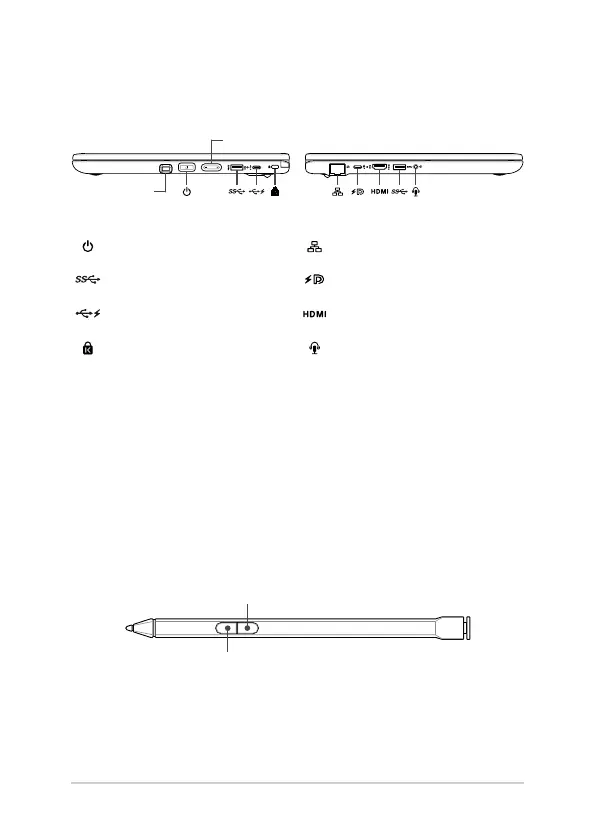
I/O ports and slots
Power button/Fingerprint sensor* LAN port
USB 3.2 Gen 1 port
USB 3.2 Gen 1 Type-C®/DisplayPort/
Power Delivery combo port
USB 2.0 Type-C® port with
charging function
HDMI output port
Kensington® security slot Headphone/Headset/Microphone jack
IMPORTANT!
To prevent any damage, use only power sources rated 20V/2.25A or 20V/3.25A to charge your
Notebook PC with the USB Power Delivery combo port. For more information, consult an ASUS
service center for assistance.
Stylus storage
ASUS Pen (on selected models)
Eraser button
Right-click button
NOTE: Push the ASUS Pen inwards to remove it from your Notebook PC.
Volume button
* On selected models



 To Next Page