88
Notebook PC E-Manual
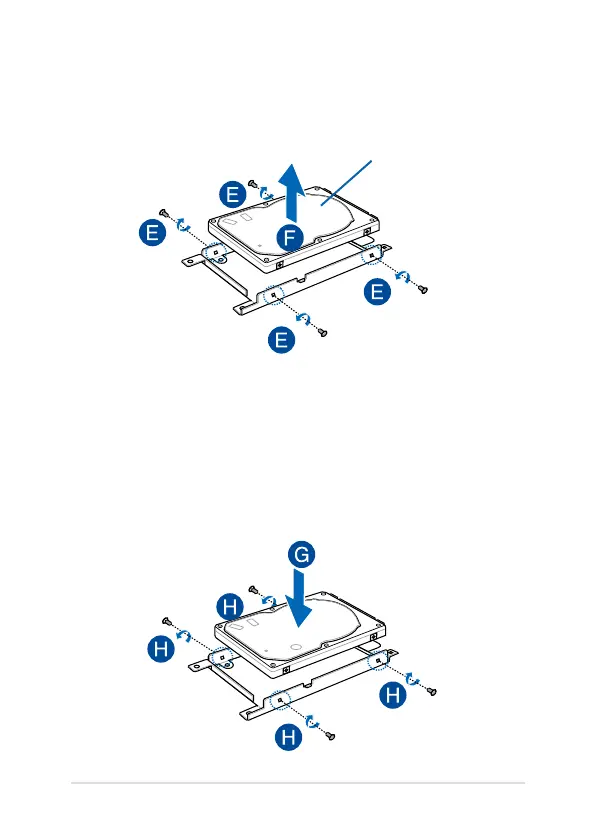
E. Turn the HDD bay upside down then remove the screws.
F. Remove the old HDD from the HDD bay.
HDD
G. Place the new HDD with its PCB (printed circuit board) facing the
HDD bay. Ensure that the port connectors of your HDD are not
obstructed by any part of the HDD bay.
H. Reattach and secure the HDD with the screws you removed
earlier.



 To Next Page