ASUS P5A User’s Manual 37
IV. BIOS SOFTWARE
IV. BIOS
Flash Memory Writer
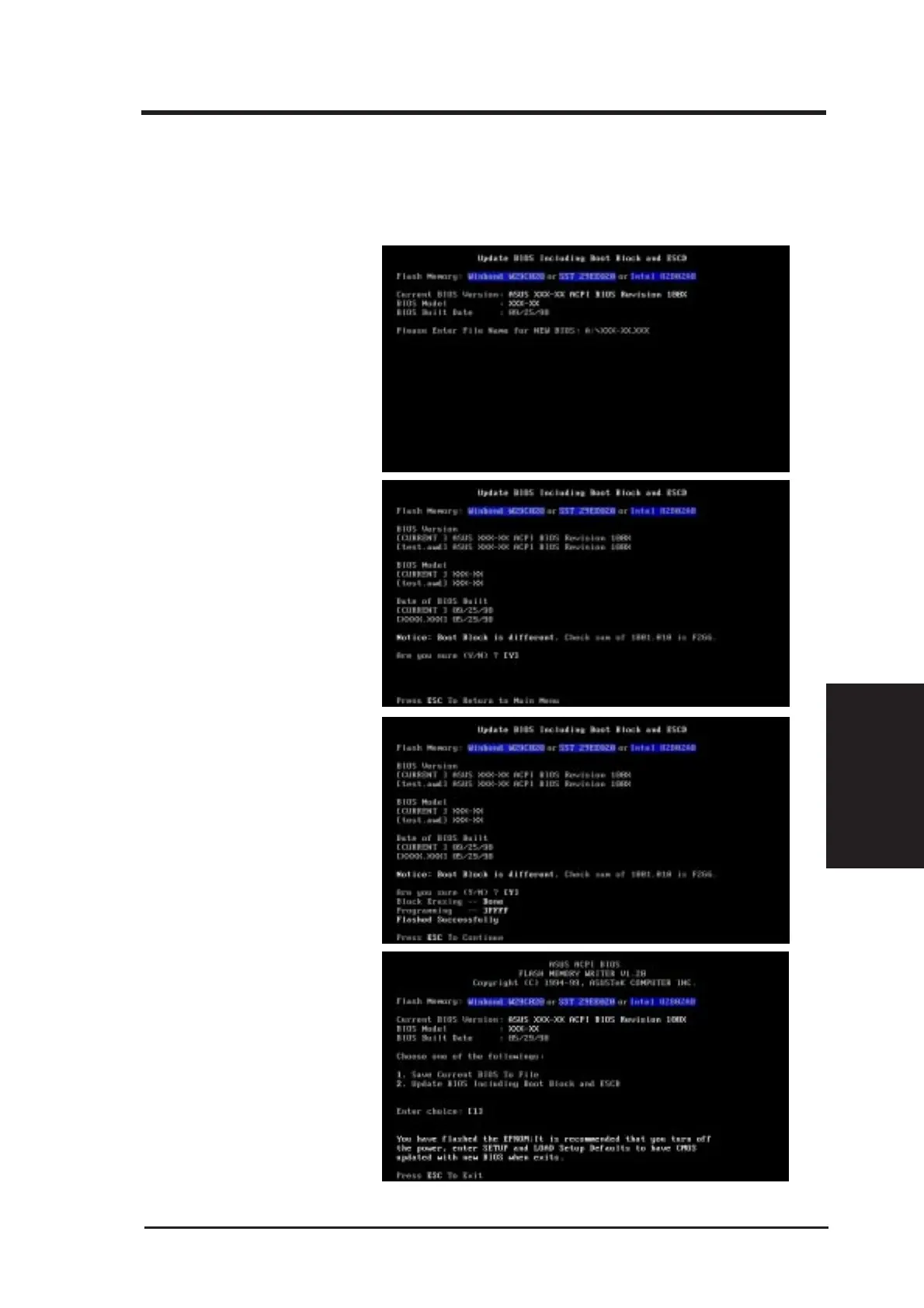
When prompted to confirm the
BIOS update, press Y to start the
update.
2. Update BIOS Including Boot Block and ESCD
This option updates the boot block, the baseboard BIOS, and the ACPI extended system con-
figuration data (ESCD) parameter block from a new BIOS file. See the next page for proce-
dures on downloading an updated BIOS file.
The utility starts to program the
new BIOS information into the
flash ROM. When the program-
ming is finished, Flashed Suc-
cessfully will be displayed.
To update your current BIOS,
type [2] at the Main Menu and
then press <Enter>. The Update
BIOS Including Boot Block
and ESCD screen appears. Type
the filename of your new BIOS
and the path, for example,
A:\XX2I1002.AWD, and then
press <Enter>.
Follow the onscreen instructions
to continue.



 To Next Page