118
Intermi-
tente
Ligado
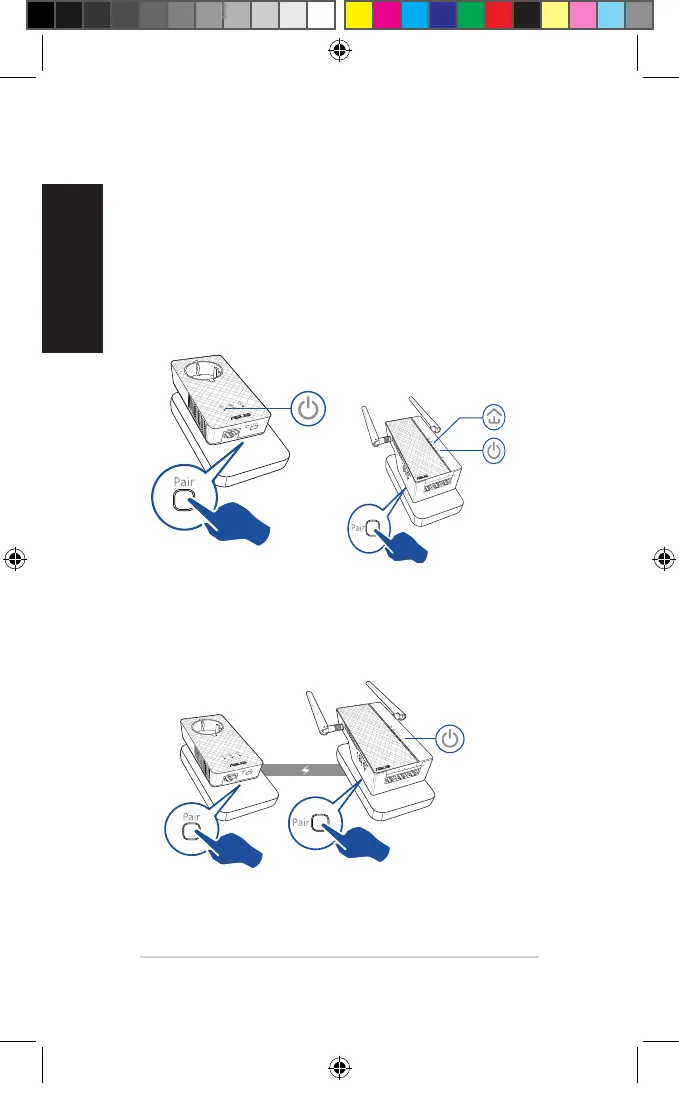
Emparelhamento de segurança
Criar uma rede Powerline segura
1. Prima o botão Empare-
lhar/Repor no PL-E56P.
2. Prima o botão Emparelhar
no PL-AC56. Aguarde que o
LED de Powerline acenda,
indicando que foi criada
uma rede Powerline segura.
Ligar a uma rede Powerline segura
1. Prima o botão Emparelhar de um dispositivo Powerline na
rede Powerline.
Intermi-
tente
U11264_PL-AC56_Kit_QSG_Booklet_105x170mm.indb 118 2016-02-04 10:05:12



 To Next Page