90
Accoppiamento sicuro
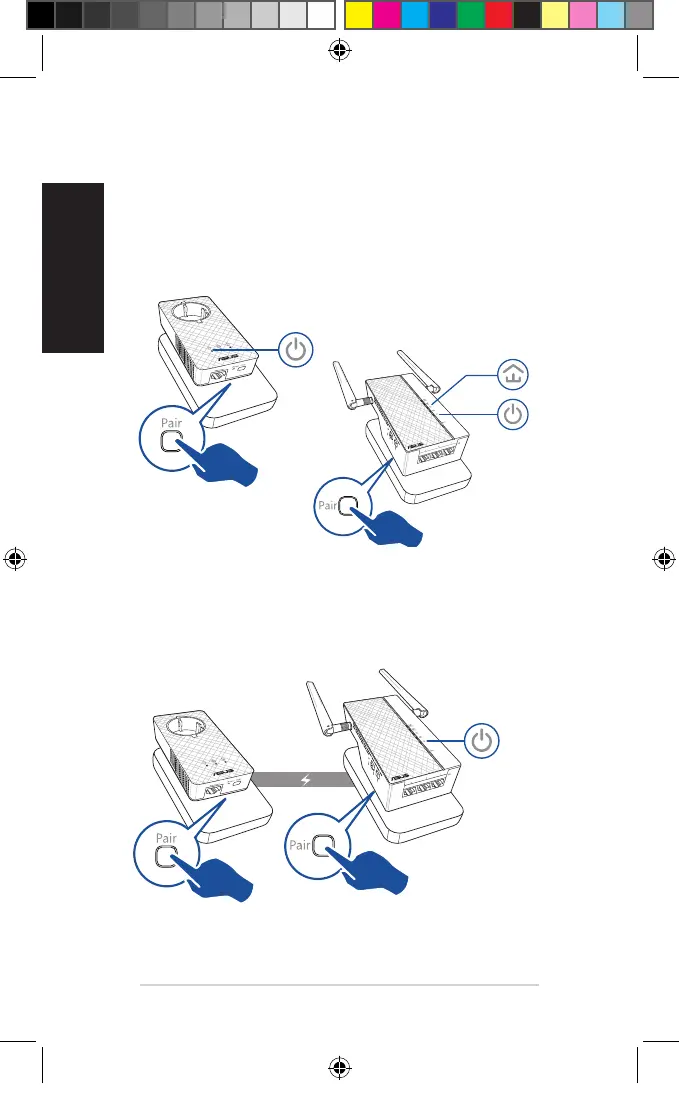
Creare una rete powerline sicura
1. Premete il pulsante Accop-
pia sul vostro PL-E56P.
2. Premete il pulsante Accoppia sul
vostro PL-AC56. Aspettate no a
quando si accende il LED pow-
erline, questo indica che la rete
powerline sicura è stata creata
correttamente.
Accedere a una rete powerline sicura
1. Premete il pulsante Accoppia su un dispositivo powerline per accedere
alla rete powerline.
Lampeggiante
On
Lampeggiante
U11264_PL-AC56_Kit_QSG_Booklet_105x170mm.indb 90 2016-02-04 10:05:06



 To Next Page