70
Notebook PC E-Manual
To update the BIOS:
1. Verify the Notebook PC’s exact model then download the latest
BIOS le for your model from the ASUS website.
2. Save a copy of the downloaded BIOS le to a ash disk drive.
3. Connect your ash disk drive to your Notebook PC.
4. Restart your Notebook PC then access the BIOS settings.
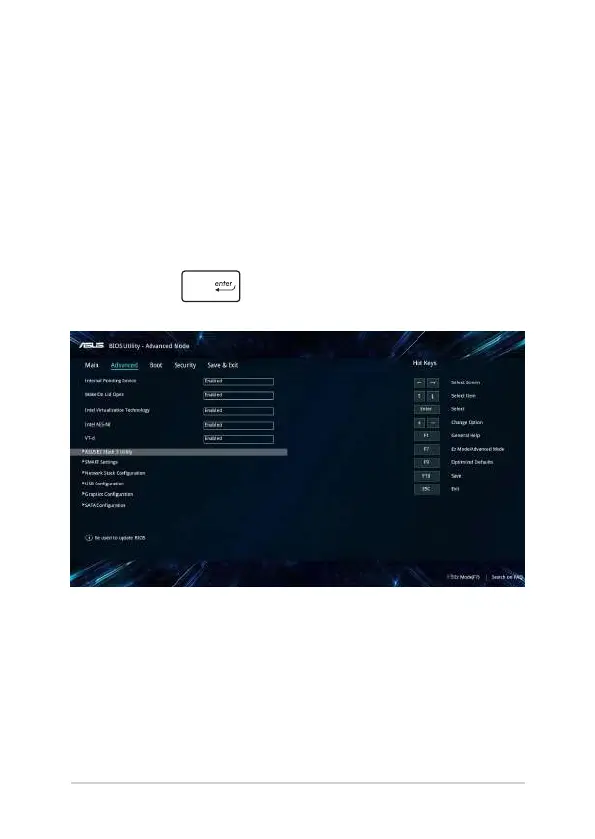
5. From the BIOS menu, select Advanced > ASUS EZ Flash 3 Utility,
then press .






 To Next Page