Notebook PC E-Manual
81
A. Remove the compartment cover.
NOTE: For more details, refer to the Removing the compartment cover
section in this manual.
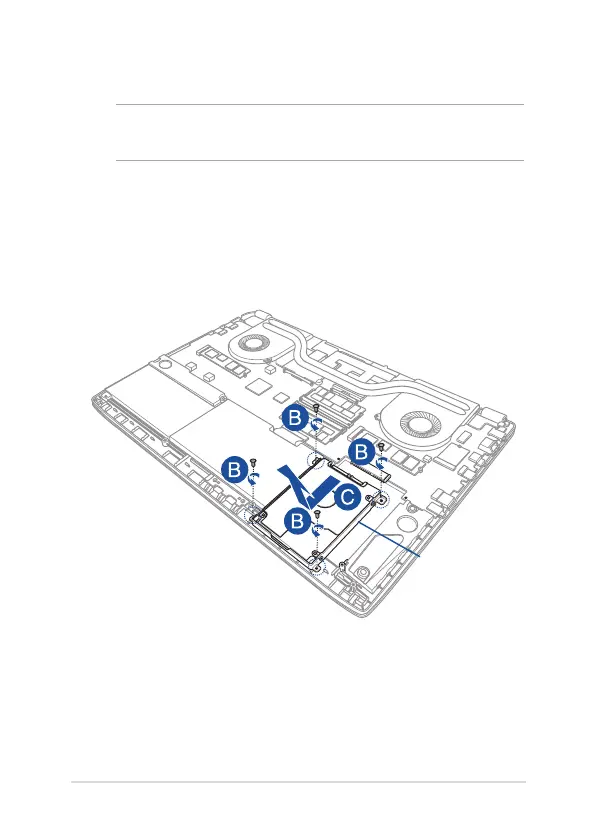
B. Remove the screws securing the HDD bay to the compartment.
C. (Optional) If an HDD is currently installed in your Notebook PC,
disconnect the HDD bay from the HDD port as shown in the
illustration below.
HDD bay



 To Next Page