86
Notebook PC E-Manual
A. Remove the compartment cover.
NOTE: For more details, refer to the Removing the compartment cover
section in this manual.
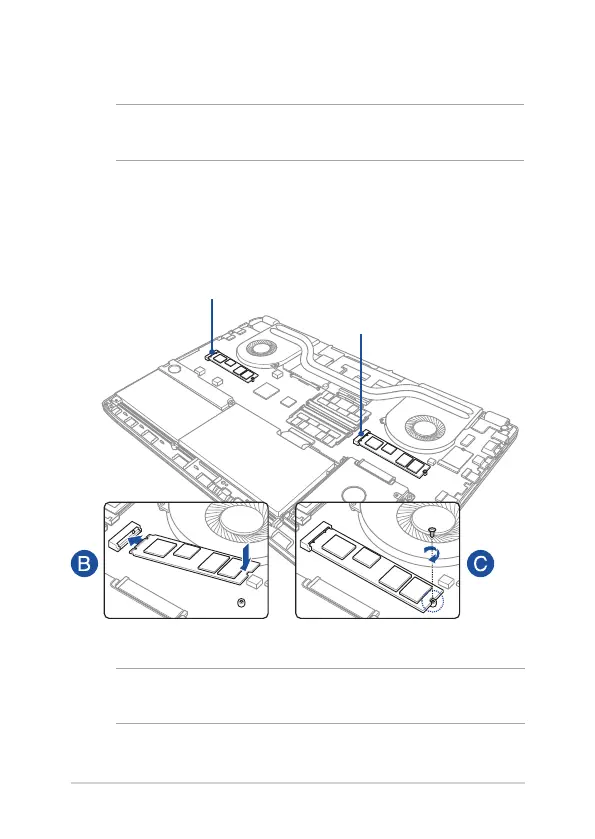
B. Align and insert the M.2 card into its card module slot.
C. Secure the M.2 card in place using the bundled screw.
M.2 slot 1
M.2 slot 2
NOTE: The M.2 2280 slot 1 supports SATA SSD while slot 2 supports both
PCIe (NVMe) SSD and SATA SSD.







 To Next Page