13
C. Disable the dial-up connection, if enabled.
D. Close all running web browsers.
NOTE:Refertoyourbrowser'shelpfeaturefordetailsondisabling
thedial-upconnectionsettings.
Windows® 7
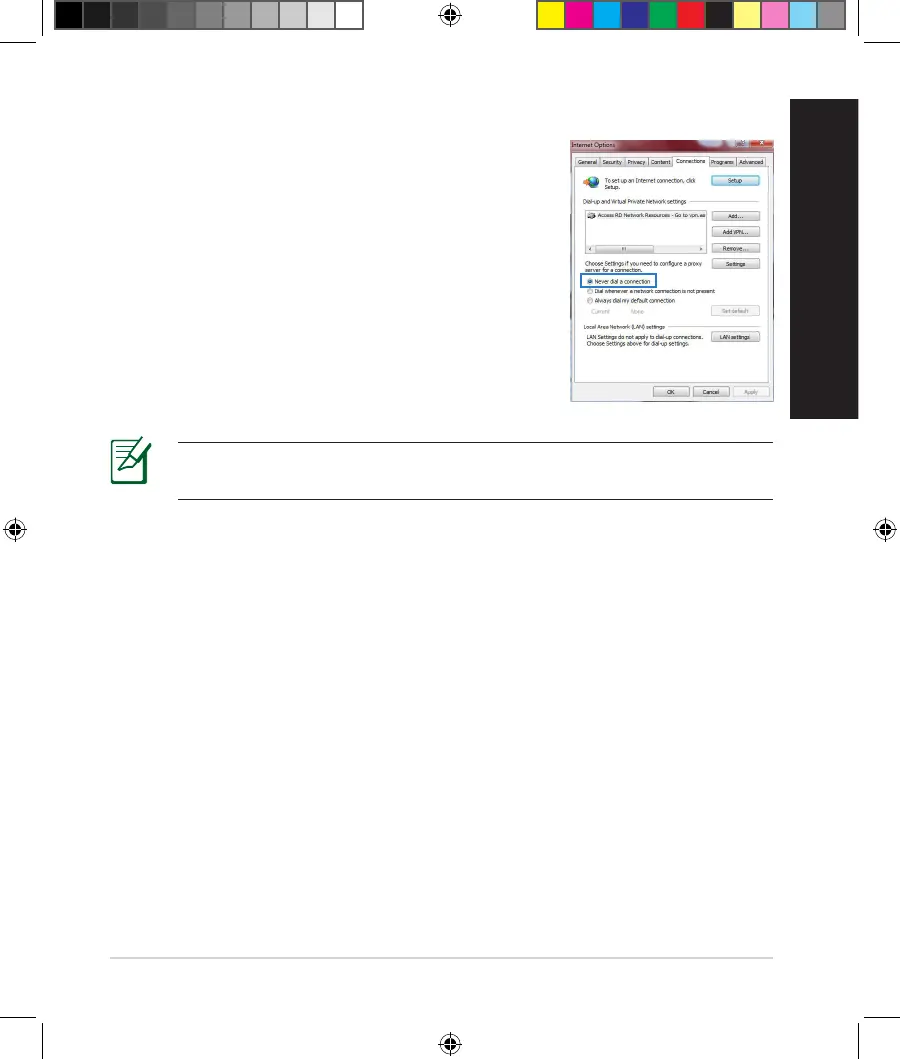
1. ClickStart > Internet Explorertolaunchthe
browser.
2. ClickTools > Internet options > Connections tab.
3. Tick Never dial a connection.
4. ClickOKwhendone.
The client cannot establish a wireless connection with the router.
Out of Range:
• Puttherouterclosertothewirelessclient.
• Trytochangethechannelsettings.
Authentication:
• Usewiredconnectiontoconnecttotherouter.
• Checkthewirelesssecuritysettings.
• PresstheResetbuttonattherearpanelformorethanveseconds.
NA11363_RT-AC1750_QSG.indb 13 2016-02-22 16:25:08


 To Next Page