13
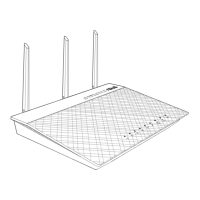
3. Insert your modem’s AC adapter to the DC-IN port and plug it
to a power outlet.
4. Install an IEEE 802.11a/b/g/n/ac WLAN adapter on your
computer.
NOTES:
• For details on connecting to a wireless network, refer to the WLAN
adapter’s user manual.
• To set up the security settings for your network, refer to the section
Setting up the wireless security settings in Chapter 3 of this user
manual.


 To Next Page