Disassembly Procedure
9
Bottom Case Module
The illustrations below show how to remove the Bottom Case Module.
Notice: Before disassembly, please be sure to pull out adapter and disconnect the battery more than ten
seconds in order to avoid IC damage.
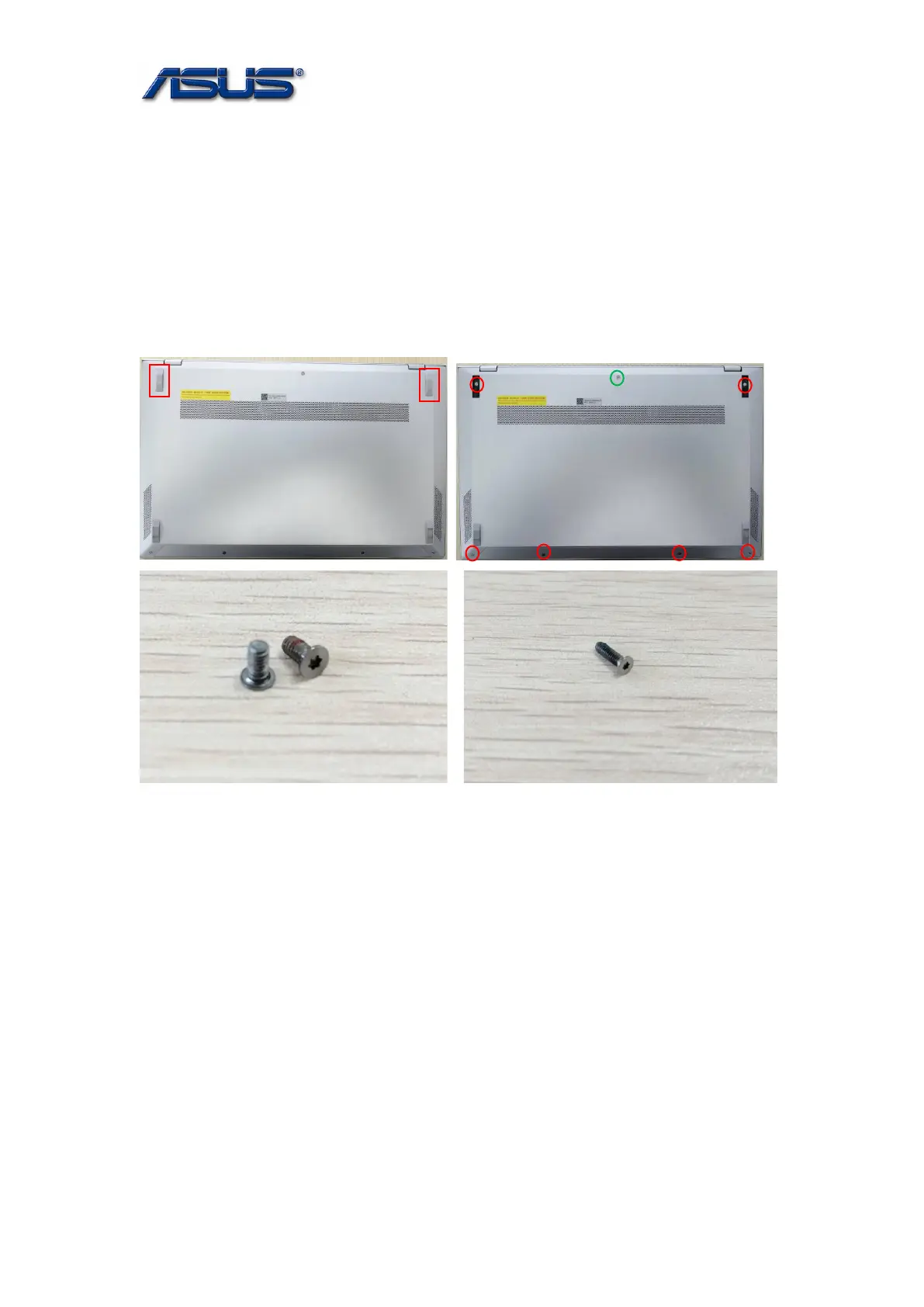
1. Remove 2 foot rubbers firstly, then remove 7 screws on the bottom case.
Assembly Notice: Follow the reverse numbers to lock screws and install 2 rubbers.
Screw tightening torque (Kg F-cm): 2.0KG±0.2kgf.
Screw tightening torque (Kg F-cm): 2.0KG±0.2kgf.
SCREW M2*4L T5 SCREW M2*7L T5











 To Next Page