ix
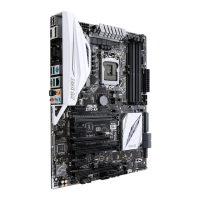
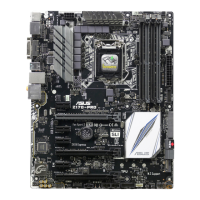
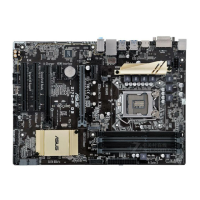
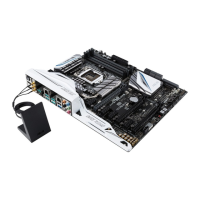
Z170M-PLUS specifications summary
ASUS
Exclusive
Overclocking
Features
SFS (Stepless Frequency Selection)
- BCLK/PCIE frequency tuning from 40MHz up to 170MHz at 0.1MHz increment
Overclocking Protection
- ASUS CPR (CPU Parameter Recall)
ASUS Quiet
Thermal
Solution
Quiet Thermal Design
- ASUS Fan Xpert 3
- ASUS Fanless Design: PCH Heatsink & MOS Heatsink solution
Rear Panel I/O
Ports
1 x PS/2 keyboard port (purple)
1 x PS/2 mouse port (green)
1 x HDMI port
1 x DVI-D port
1 x RGB port
1 x LAN (RJ-45) port
1 x USB 5Gb/s Type C port
2 x USB 3.0/2.0 ports (Type A, blue)
2 x USB 2.0/1.1 ports
3 x Audio jacks support 7.1-channel audio output*
* Use a chassis with HD audio module in the front panel to support a 8-channel audio
output.
Internal I/O
Connectors
2 x USB 3.0 / 2.0 connector support additional 4 USB 3.0 / 2.0 ports (19-pin)
2 x USB 2.0 / 1.1 connectors support additional 4 USB 2.0 / 1.1 ports
1 x M.2 Socket 3 (for M Key, type 2242/2260/2280 devices)
1 x SATA Express connector (compatible with 2 x SATA 6.0 Gb/s ports)
6 x SATA 6.0 Gb/s connectors (gray; 2 from SATA Express)
1 x 4-pin CPU fan connector for both 3-pin (DC mode) and 4-pin (PWM mode)
CPU coolers control*
2 x 4-pin Chassis fan connectors (4-pin) for both 3-pin (DC mode) and 4-pin
(PWM mode) coolers control
1 x Front panel audio connector (AAFP)
1 x S/PDIF out header
1 x COM connector
1 x LPT connector
1 x 24-pin EATX power connector
1 x 8-pin EATX 12V power connector
1 x System panel connector
1 x Clear CMOS jumper
* By default, the CPU Q-Fan control setting is set to Auto mode, which detects the
CPU fan installed and changes the control mode automatically.
(continued on the next page)


 To Next Page