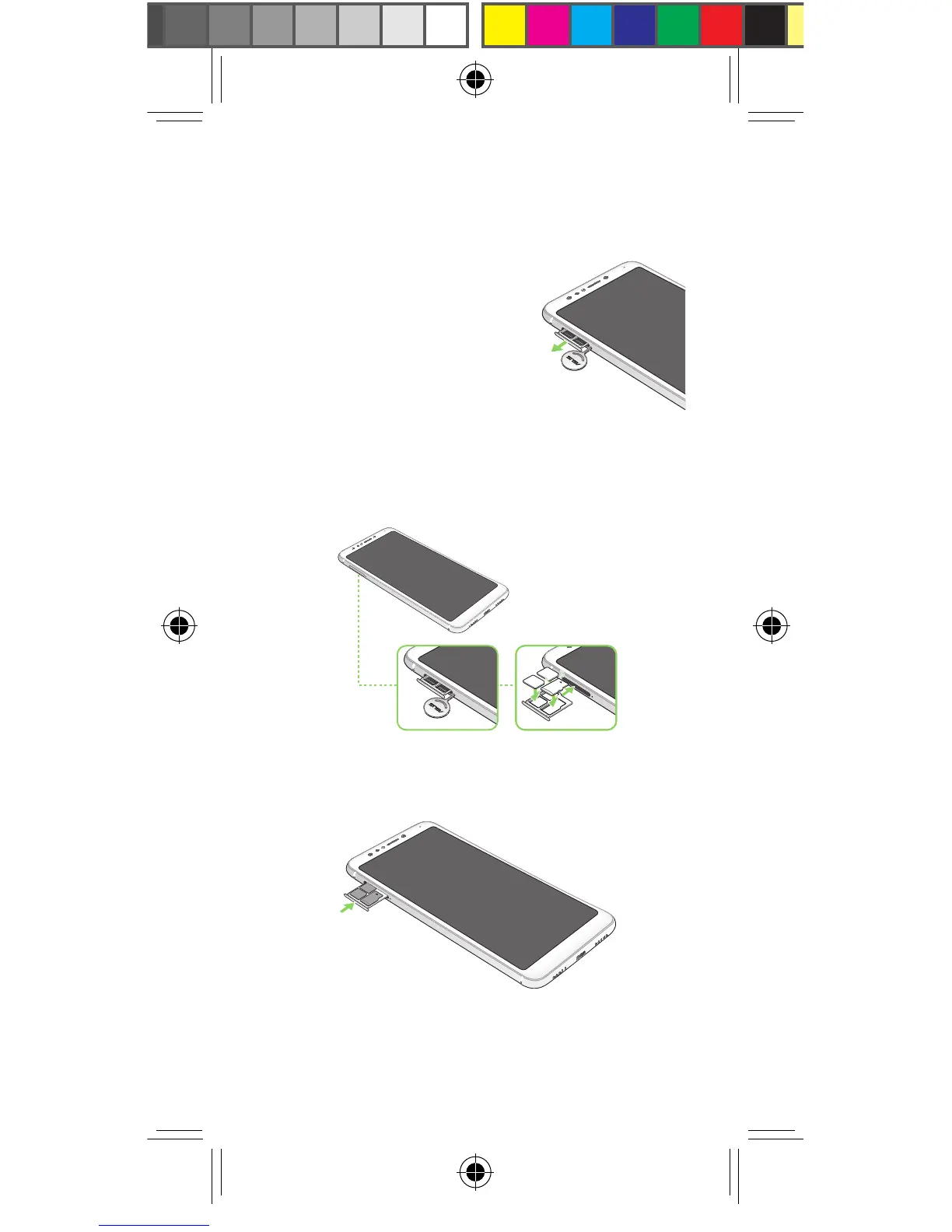
1. Push the bundled eject pin
into the hole on the card
slot to eject the tray out.
Installing a Nano SIM / MicroSD card
To install a Nano SIM / MicroSD card:
2. Insert the Nano SIM or MicroSD card into the
appropriate slot.
3. Push the tray to close it.
E13855_ZB570TL_Booklet_EU_UM_v3.indd 6 2017/12/28 16:06:28



 To Next Page