Wall Mounting Instructions
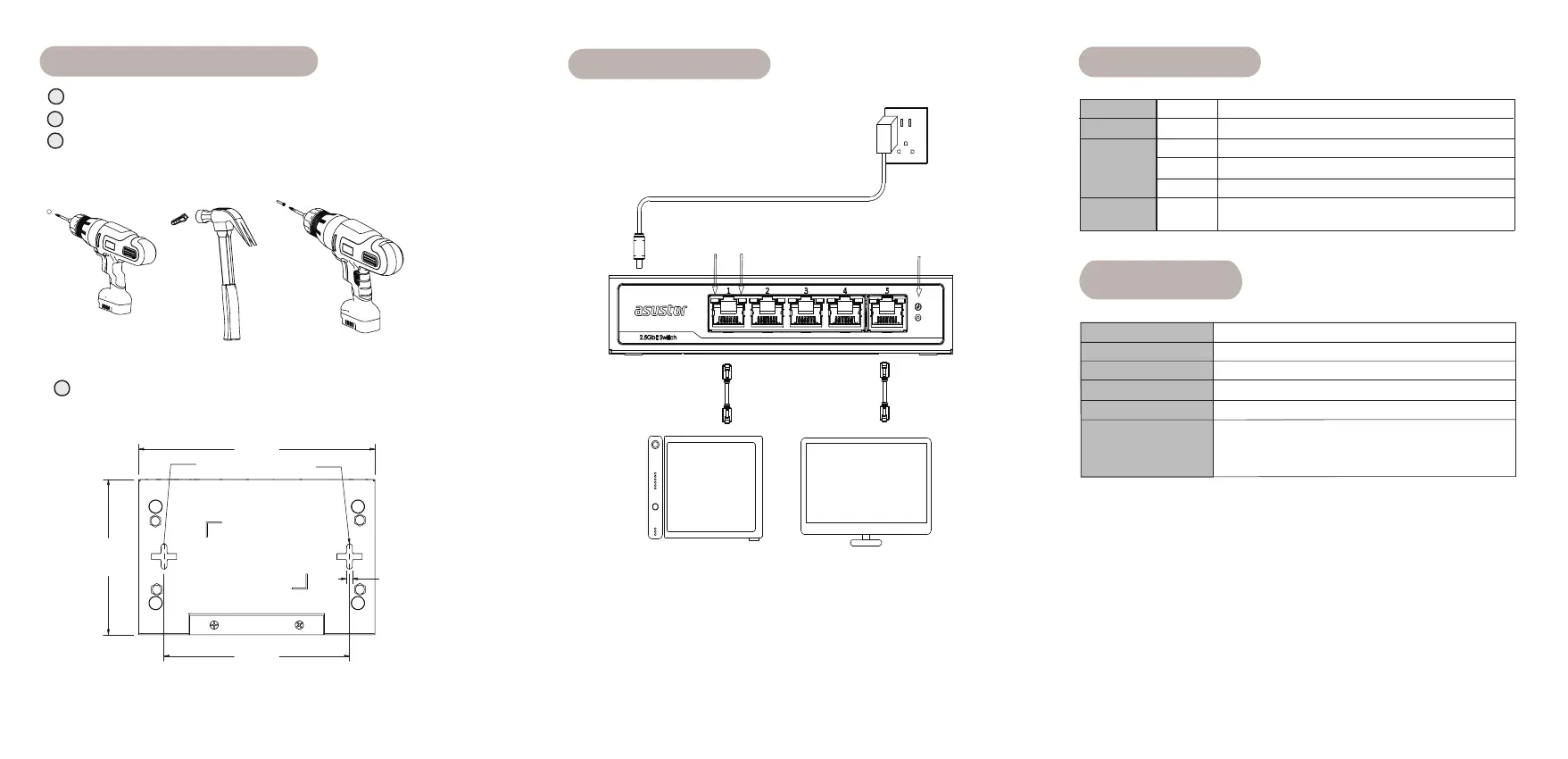
Drill two 6 mm holes into a wall spaced 110 mm apart. (FIGURE 1).
Hammer an anchor into each hole. (FIGURE 2).
Tighten screws into the anchors, leaving 5 mm exposed. (FIGURE 3).
FIGURE 1
3
1
2
FIGURE 2
FIGURE 3
140.0
92.0
3.5
110.0
Mounting holes
Align the mounting holes with the screws and hang it on the wall.
(FIGURE 4).
FIGURE 4
4
PC
NAS
Connecting Power
AC adapter
Left LED
Right LED
Power LED
LED Indicators
#
Power LED
Left LED
Right LED
Color
Green
Green
Orange
Yellow
Description
Power On
Connected at 2.5-Gigabit speeds
Connected at Gigabit
speeds
Blinking: Transferring data.
On: Working as intended.
Specifications
Supported speeds
Authorized representative in Europe: Asustor B.V .
Address: Ambachtweg 37, 2841 MB Moordrecht, Netherlands
Chipset
Input voltage range
Dimension
Operating environment
2.5-Gigabit Unmanaged Ethernet Switch
10M/100M/1G/2.5G
DC:12V 2A
92(L) x 140 (W)x 28(H) mm
Description
RTL8371+RTL8221B
Operating Temperature : 0°C-40°C (32-104°F)
Operating Humidity : < 85% No condensation
Non-Operating Temperature: -10°C-85°C (14-176°F)
Off
Connected at 10M or 100M
speeds


 To Previous Page
 Loading...