Getting started
7
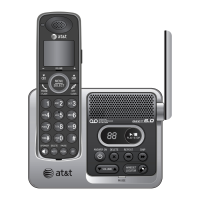
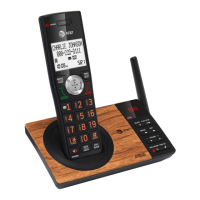
Quick reference guide - handset
1
3
2
4
5
6
7
1
f While reviewing a caller ID
log entry, press repeatedly to
add or remove 1 in front of
the telephone number before
dialing or saving it in the
directory (page 67).
f Press and hold to set (page
27) or to dial your voicemail
number (page 62).
TONE /a>A
f Press to switch to tone dialing
temporarily during a call if you
have pulse service (page 40).
f While entering names, press to
change the next letter to upper
or lower case (page 53).
QUIET# (pound key)
f Press repeatedly to display
other dialing options when
reviewing a caller ID log entry
(page 67).
f Press and hold to enter the
QUIET mode setting screen,
or to deactivate QUIET mode
(page 33).
PTT
f Press to initiate a one-to-one or
one-to-group broadcast.
f Press and hold to broadcast to
a group of system devices.
MUTE/DELETE
f During a call, press to mute the
microphone (page 38).
f When the handset is ringing,
press to mute the ringer
temporarily (page 35).
f While reviewing the caller ID log,
directory, redial memory, block list,
allow list, or star name list, press to
delete an individual entry.
f While predialing, press to delete
digits.


 To Next Page
 Loading...