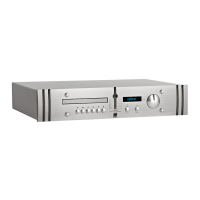
P1 & P2
Power Amplifiers
Diagram 3 - P2 rear panel and connection sockets
Diagram 4 - P2 Pro rear panel and connection sockets
3.4 Operation
P1 (Hi-Fi Model)
A push button on the rear panel marked “ir disable” defines how the P1 will operate
once connected to mains power and powered-up from the rear panel mains push
button.
If the push button is “in”, the amplifier will power- up in “active” mode indicated by
a GREEN light on the front panel, the remote control will be inoperative.
If the push button is “out”, the unit will power-up in Standby indicated by a RED light
on the front panel.
The amplifier can be brought out of Standby by
pressing the Standby push button on the remote
control. A further press of the button will put the
amplifier back into standby.
P2 (Hi-Fi Model)
Operation is identical to that of the P1 except that
the P2 also features fault monitoring of clip events,
overload and output stage dc offset. The events are
displayed via additional LEDs mounted in the front
panel central indicator labeled ‘clip’ and ‘error left’
3.2 Inputs
Single ended Inputs via RCA phono sockets, and Differential (balanced) Inputs via
XLR sockets are provided. Each channel has two phono Input sockets, the ”Link”
Input phono sockets may be used to connect the Amplifier Inputs to a further ATC
Power Amplifier for Instance as a Sub Channel.
3.3 Outputs
Loudspeaker connections are made using the two
pairs of proprietary ATC loudspeaker terminals.
The left and right channels are clearly marked and
correspond to the left and right inputs. The positive
terminal is marked red and the negative terminal is
marked black.



 To Next Page