3) White Balance Adjustment
4) Main/Sub Color Adjustment
4. Adjustment
- EDID (The Extended Display Identification Data)/DDC (Display Data Channel) download
1) The information is exchanged without user’s command to PC or monitor since they are specified in VESA. In
other words, the function is made for “Plug and Play” which reconfigures user’s environment to be used in no
time while automatically communicating with monitor.
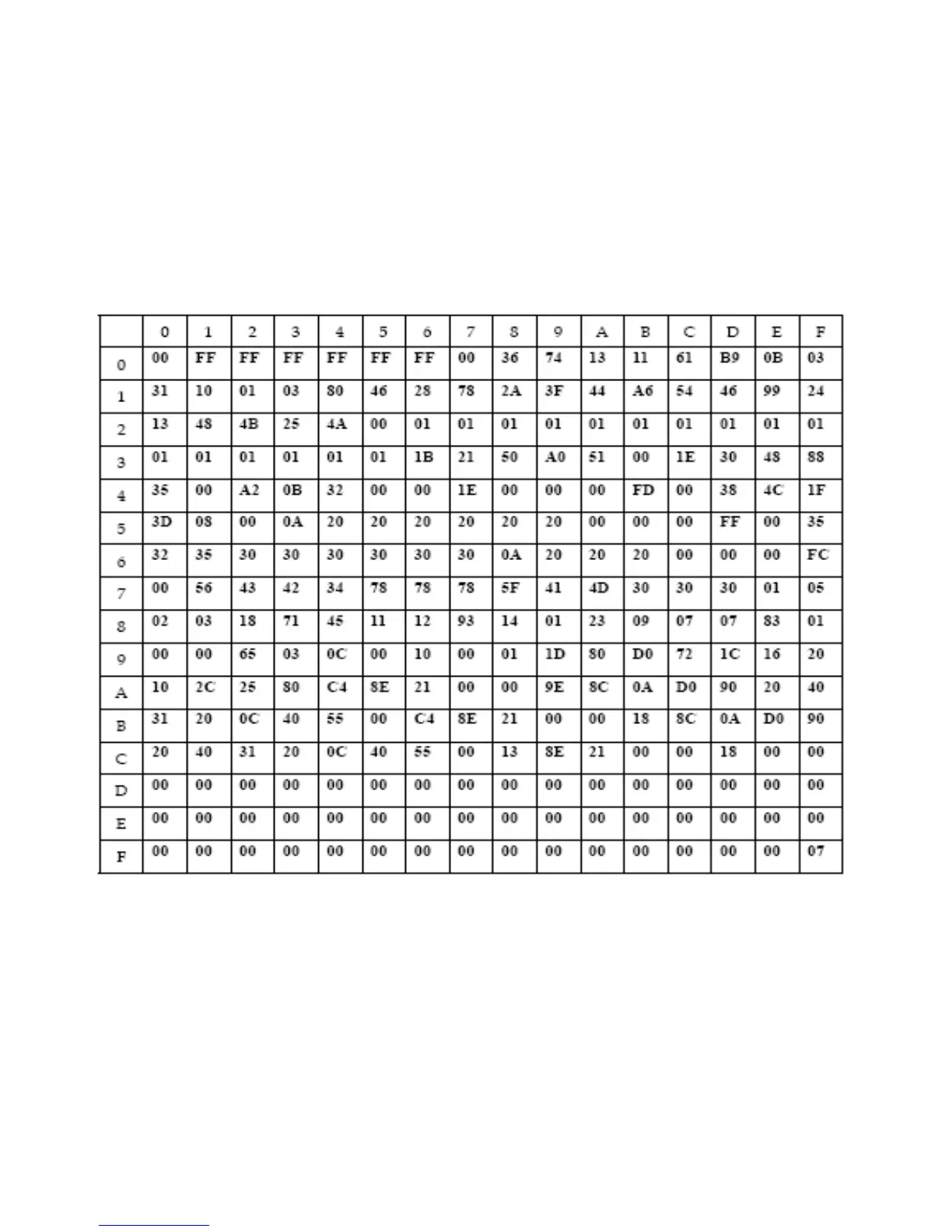
2) EDID DATA for DVI of VCB4430
EDID table
3) EDID DATA for RGV of VCB4430
EDID table =



 To Next Page