A proper output mode of soun tched.
.(Custom, Standard, Music, Movi
EMARK
d can be selected as per the type of program being wa
e, Speech)
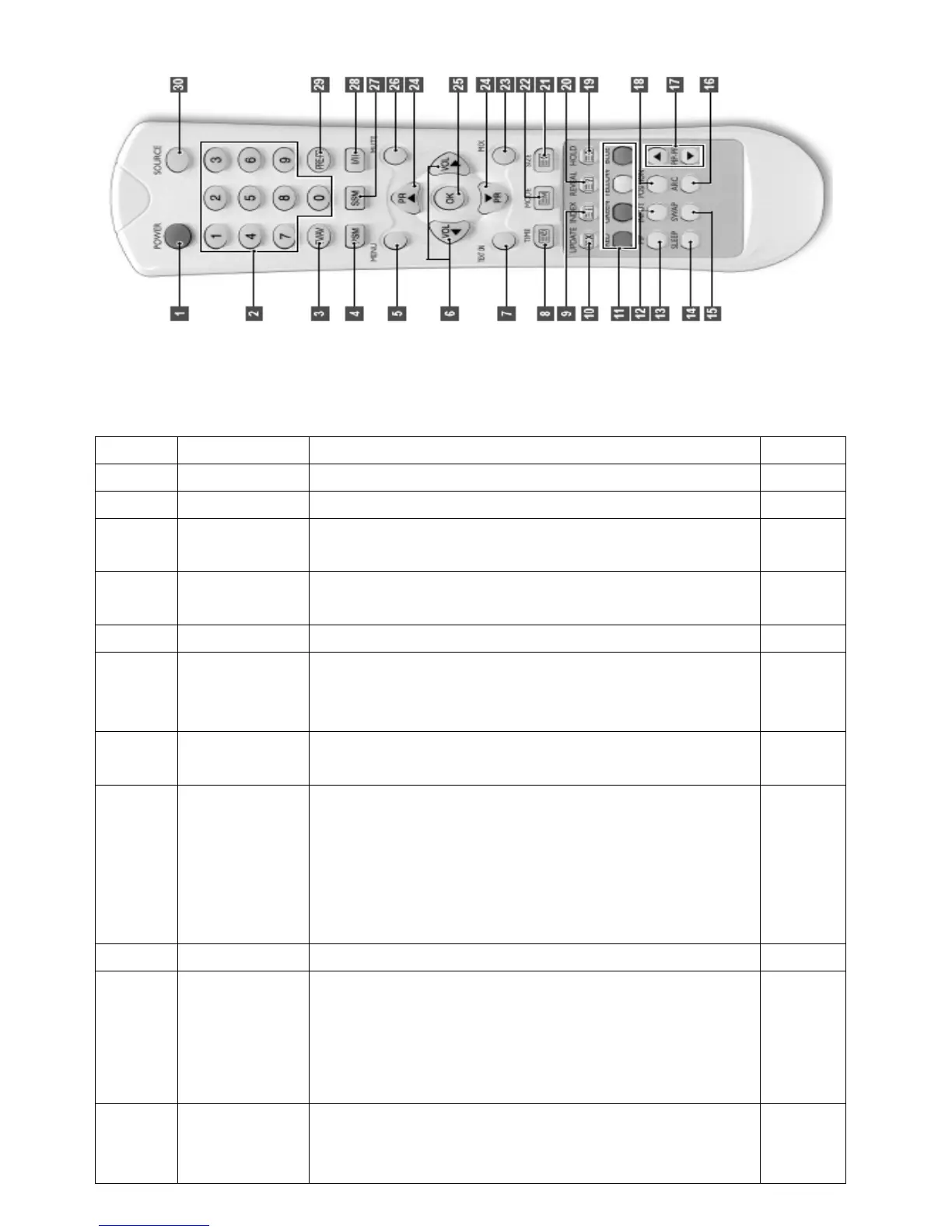
KEY FUNTION R
1 POWER Turns the display On or off
2 NUMBER Direct channel select. Direct page selection Teletext display.
3
TV/AV tton, It converts to TV input mode and, if you press and hold the bu
input mode will be switched.
4
PSM ferred picture setting. (Dynamic, Standard, Game,
Recalls your pre
Mild, User)
5 MENU Displays OSD Menu.
6
VOL ◀▶ SD
e sub-menu
Increases or decreases the volume. Also used to select the O
main menu, to select the OSD main menu, to select th
or to change the values in sub-menus.
7
TEXT ON
the TV picture, TV mode.
Changes Teletext mode. Only Teletext mode, text mode
superimposed on
8
e
n. Press the button again to exit the
TIME When viewing a TV program, press this button to display the tim
at the top right corner of the screen. Press the button again to
remove the display. In Teletext mode press the button to select
and hold or change a four-digit sub-page number. This is displayed
along the bottom of the scree
function.
9 INDEX rrent Page to the INDEX Page. Converts from the cu
10
at the top left corner of the
ge
umber. Press this button to view the updated Teletext
UPDATE Displays the TV picture on the screen while waiting for the new
Teletext page. The display will appear
screen. When the update page is available then display will chan
to the page n
page
11
TELETEXT
REEN key.
RED: Converts to the Page linked to the RED key.
GREEN: Converts to the Page linked to the G
YELLOW: Converts to the Page linked to the YELLOW key.


 To Next Page
 Loading...