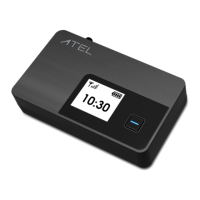
ATEL V810 Frequently Asked Questions
V1.5, July 18, 2022
Disclaimer:
Certain variations may be present between the device and user manual description
depending on software release or specific network services. ATEL shall not be held legally
responsible for such deviations, if any, nor for their potential consequences.
Limited Warranty:
The full ATEL USA Warranty Policy can be found at www.atel-usa.com/warranty. On this page
you can “Start a Warranty Claim”, “Check on an Existing Claim” and read the Warranty Policy
by clicking on “ATEL’s Warranty Policy”. Please follow all warranty instructions available and
if you have any questions contact us at support@atel-usa.com. Note that some actions such
as, but not limited to, using sharp objects to open the device, may void the warranty.
Trademark. ATEL® & AxisTM are trademarks owned and protected by Asiatelco Technologies,
Inc. © 2022 Asiatelco Technologies, Inc. All rights reserved.


 To Previous Page