ATEL V810 Series Voice-Only User Manual
V5.6, June 8, 2022
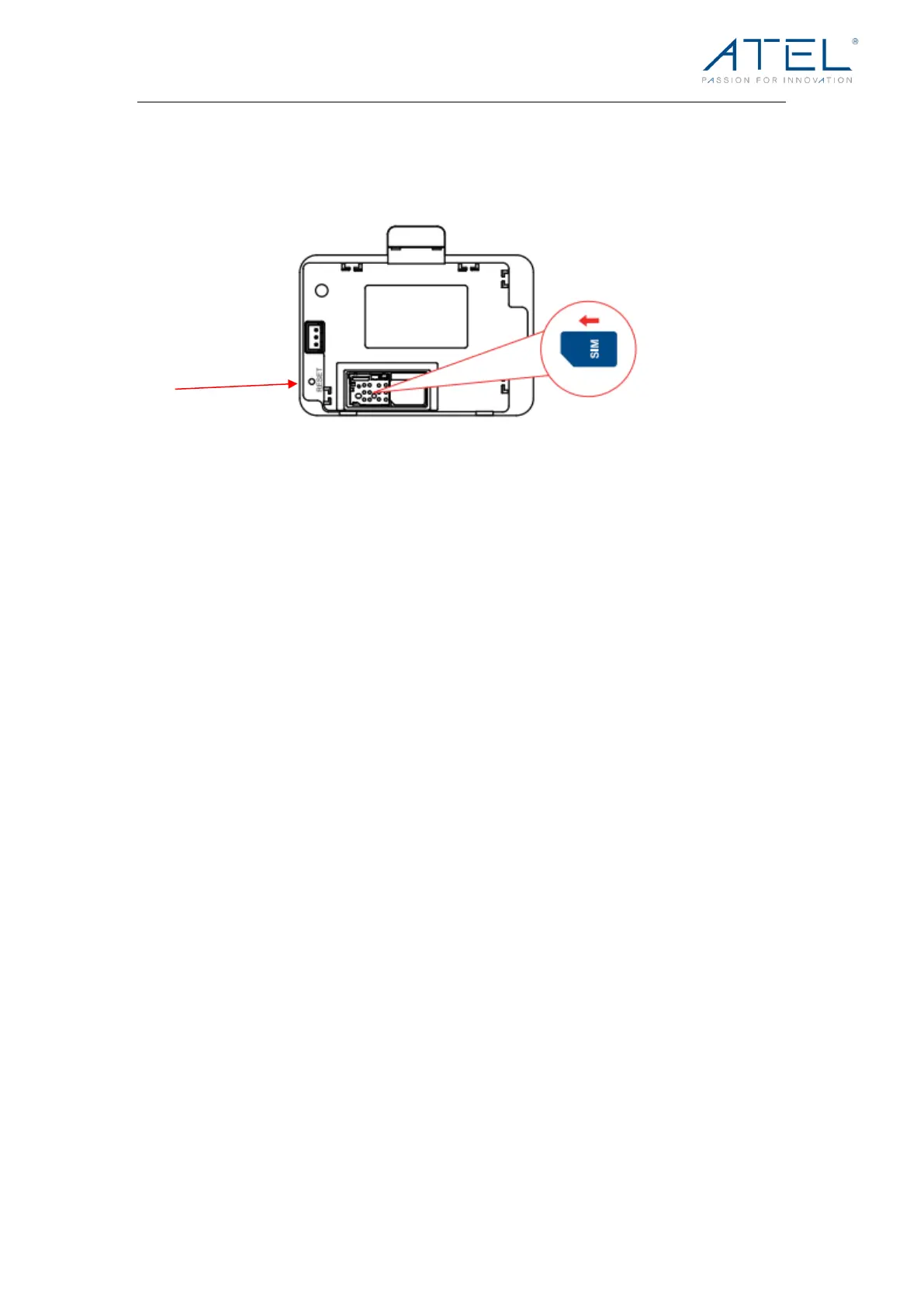
Use a unfolded paper clip, insert it into the RESET pin hole and push down for 3 seconds,
then release. Your V810 will perform the reset and restart automatically.
3. Why am I not getting a dial tone on my handset?
Make sure the AC power adapter is properly connected to both the unit and the wall
socket. Check to make sure the telephone cable is securely plugged into both the phone
and the V810 unit. Check the screen to make sure at least one of the signal strengths is lit
up. Check with your SIM provider to make sure that service is activated and provisioned
for this type of voice device.
4. Can I create a shortcut to access my voice mail?
The availability of a shortcut feature to access voice mail messages depends solely on the
capabilities of the telephone you use with the V810. Please refer to the user manual and
set-up material that came with your telephone.
If your wired phone does not support a shortcut feature to access voice messages, you
may have the option to save your voice mail number into the address book on the handset
and assign that number to the #1 speed dial position on your phone’s keypad.
5. Can I use my phone answering device instead of voice mail?
If the telephone connected to your V810 has an answering device, you can set it to pick up
after fewer rings before the call goes to the voice mail. Turn off your answering device if
you would like to use the voice mail service. Please refer to the user manual and set-up
material provided by the answering machine manufacturer for instructions.
6. Does V810 support E911 calls?
Yo u c a n u s e t h e t e l e p h o n e c o n n e c t e d t o y o u r V 8 1 0 t o m a ke 9 1 1 calls. For better GPS
location accuracy, place your V810 near a window.
Note: ATEL cannot guarantee the voice or E911 calls availability. Making a successful call
depends on your hardware (telephone) availability, physical location, wireless signal
strength, and/or network services. You should never rely solely on any wireless mobile
device for essential communications (medical emergencies, for example). When making an



 To Next Page