76
SL1 DATA LOGGER User Manual Rev. AD
sales.get@athena.euwww.getdata.it
ENGLISH
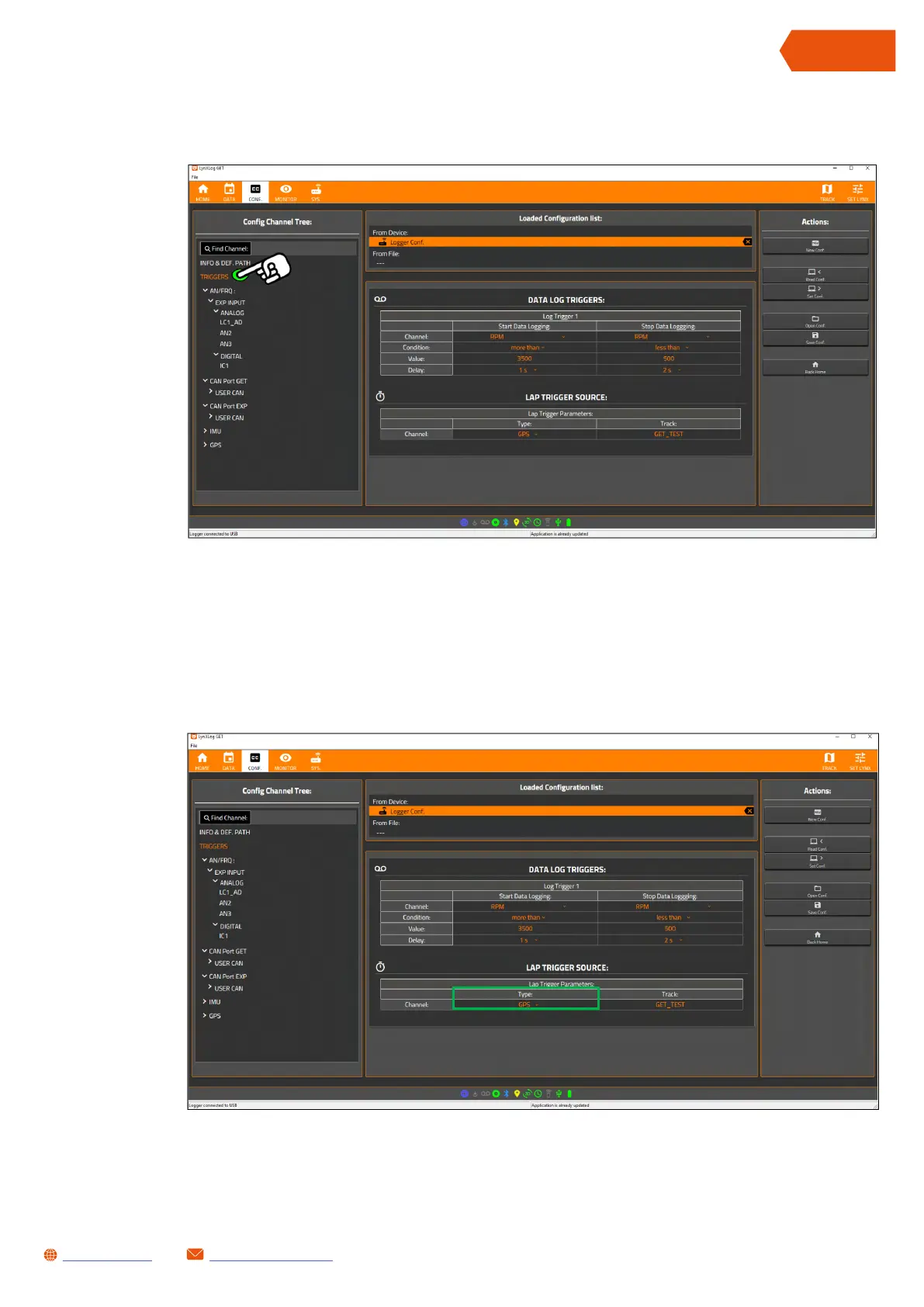
• Press TRIGGERS in the Config Channel Tree column, the DATA LOG TRIGGERS table and the
LAP TRIGGER SOURCE table will appear
• Make sure that the option in the Type column of the LAP TRIGGER SOURCE table is set to GPS
(otherwise press the drop-down menu and select it)


 To Next Page