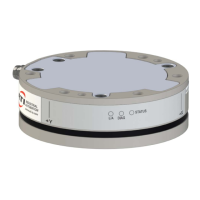
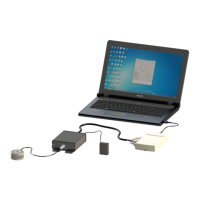
Manual, F/T Sensor, Ethernet Axia
Document #9610-05-Ethernet Axia-09
Pinnacle Park • 1031 Goodworth Drive • Apex, NC 27539 • Tel:+1 919.772.0115 • Fax:+1 919.772.8259 • www.ati-ia.com
63
Table 8.1—Commands
Command Operand(s) Description
PEAK
Not Applicable
The peak command reports the highest
and lowest F/T values that occured for a
run-time and for all-time, since the last
peak reset command was issued.
No operand reports the peaks in units.
C “PEAK C” reports the peaks in counts.
R “PEAK R” resets the run-time peaks.
S
DH!#@01234567SFTXYZMCU><
in any order
(refer to Section 8.3—Secondary
Commands for the Query “c” or “s”
Command)
A query command reports a single line of
F/T data that is scaled by the counts per
force or counts per torque..
C
A query command reports continuous
lines of F/T data that stops when a user
holds another key. If using PuTTY Telnet,
pressthe(enter)keytostop.
CAL or SET
The “CAL” or “SET” command reports all
parameters.
[eld-name]
Printallmatchingeld(s)(referto
Section 8.4—Console “CAL” | “SET”
Command Fields and Values).
[eld-name][value]
Writeeldwithvalue(referto
Section 8.4—Console “CAL” | “SET”
Command Fields and Values).
SIMERR
The simulated error command refers to
bit 28 from Table 4.7. A user can issue
this command to view the status of bit 28.
The simulated error command is
useful for customers who need to test
their error-handling routines. When a
simulated error occurs, the “red”status
LED turns on (refer to Section 4.2.4—
Sensor Status LED).
ON Turns bit 28 on.
OFF Turns bit 28 off.
RESET
ON This command resets the MCU.
OFF Turns the “reset” command off.
SAVEALL
This command records all values that
remain through a power cycle to NVM.
STATUS
If there could be an underlying
problem within the sensor hardware,
the “status” command can be used to
retrieve detailed information or for the
user to send the information to ATI for
troubleshooting.
The “status” command reports various
components of the sensor. The content of
this command varies among sensors.



 To Next Page
 Loading...