Rev.0 13/01/2020
Operator Panel | TURNTABLE - MAST
6
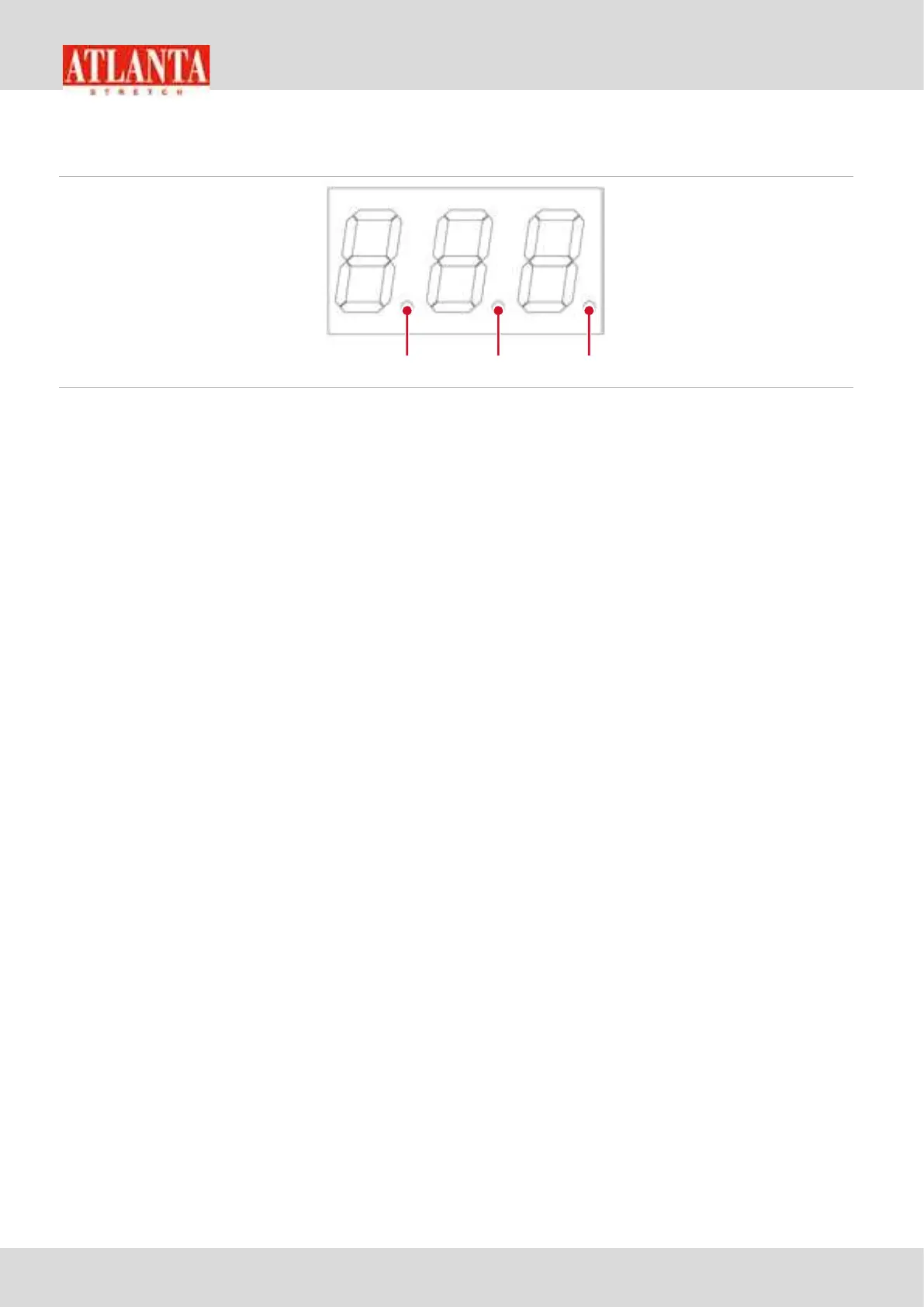
DISPLAY (V)
Picture 4 - DISPLAY (V)
1) indicates the decimal point (values from 0.00 to 9.99)
2) indicates the decimal point (values from 0.0 to 9.9)
3) indicates the block status of keyboard
ON: keyboard blocked (
V+
and
V-
blocked)
OFF: keyboard released (
V+
e
V-
sbloccati)
Signals
The LED of the
RESET
key
(E)
indicates the writing protection status of
the selected programme. If turned on, it is not possible to rewrite the
modified parameters. It is necessary to select the parameter
F00
the same programme to carry out modifications and set the value 1
in the parameter, and then hold down
RESET
for at least 3 seconds. If
the programme is to be saved and at the same time blocked in writing,
after saving it, set 1 in parameter
F00
(padlock open) and then 0 again
(padlock closed) and then hold down
RESET
for at least 3 seconds. The
LED will blink fast only pressing the
RESET
indicating the machine is ready to store the parameters; by depressing
the
RESET
button, the parameters will be stored. The LED wil blink slow
only to report the alarm status
The LED next to the FOOTBOARD MANUAL button indicates the
automatic command of footboard rotation.
The LED next to the MANUAL CARRIAGE RISE indicates the automatic
command of the carriage rise.
The LED next to the MANUAL CARRIAGE DESCENT indicates the
automatic command of the carriage descent.


 To Next Page