P a g e | 11
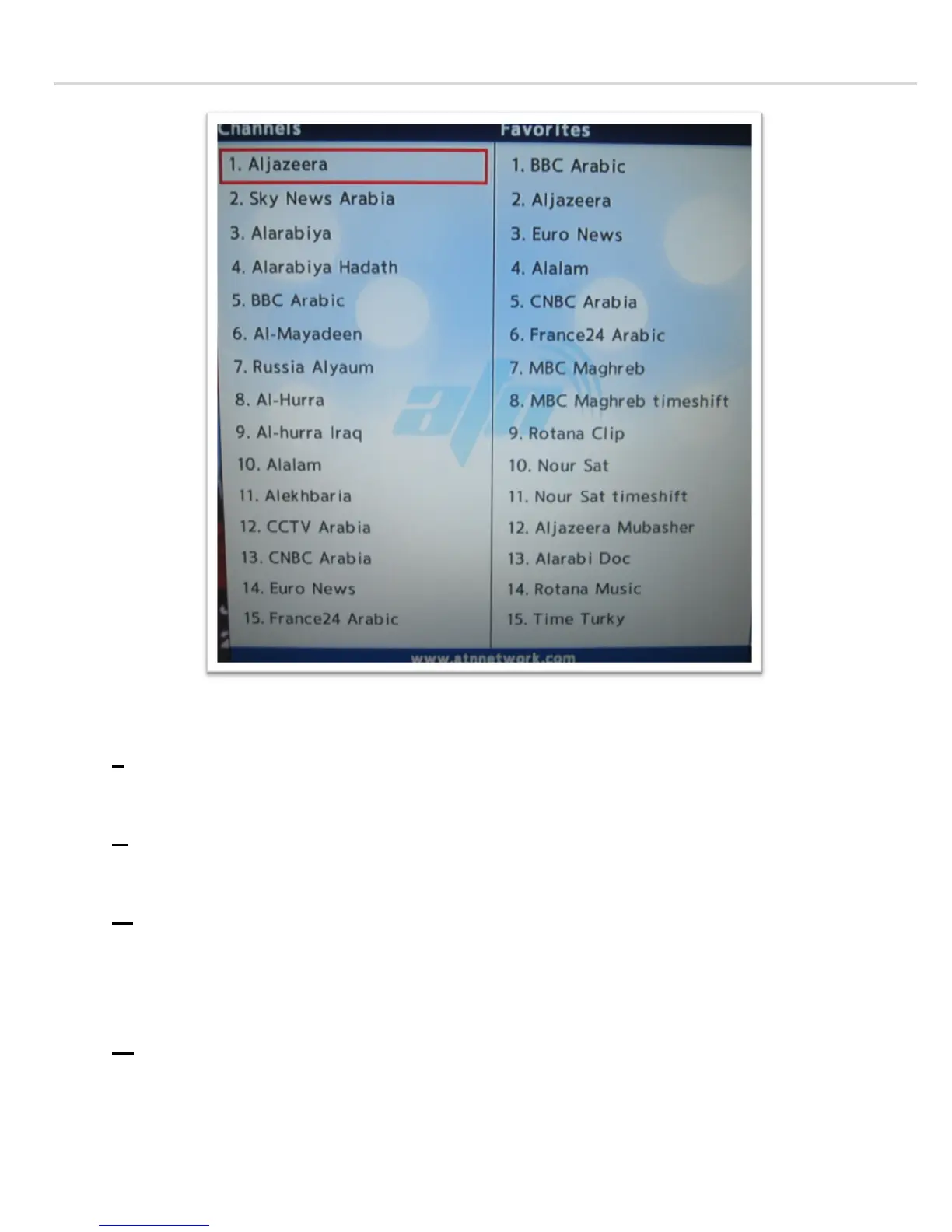
The left menus are Channels Available in each ent
ire package.
I- To add a channel to the Favorites, select the channel you want from the left menu where the
selected channel has a red rectangle around it,
and then press the “Green” button, and it will be
moved to the Favorites Menu.
II- To remove a favorite channel, point your cursor to the right menu, and select the unwanted
channel by highlighting it in “Red”, and then press the “Red” button on the remote, and the
channel will be removed.
III- To move a channel up or down on the favorites menu, select the channel you want to move on the
right menu, and press the “Blue” Button on your remote, then scroll to where you want the
channel to be moved and press the “OK” button. This will move the channel to that channel
number you selected. If you can’t see the channel, then press the “Reload” button on your
remote, and the channel will re
-appear normally.
IV- To hide the left menu, press the “Yellow” button on the remote, and you will only see the
favorites menu only.


 To Next Page