P a g e | 30
Once you turn on the receiver after connecting and verifying that all cables are connected
properly and securely, and once the receiver’s Operating system loads successfully:
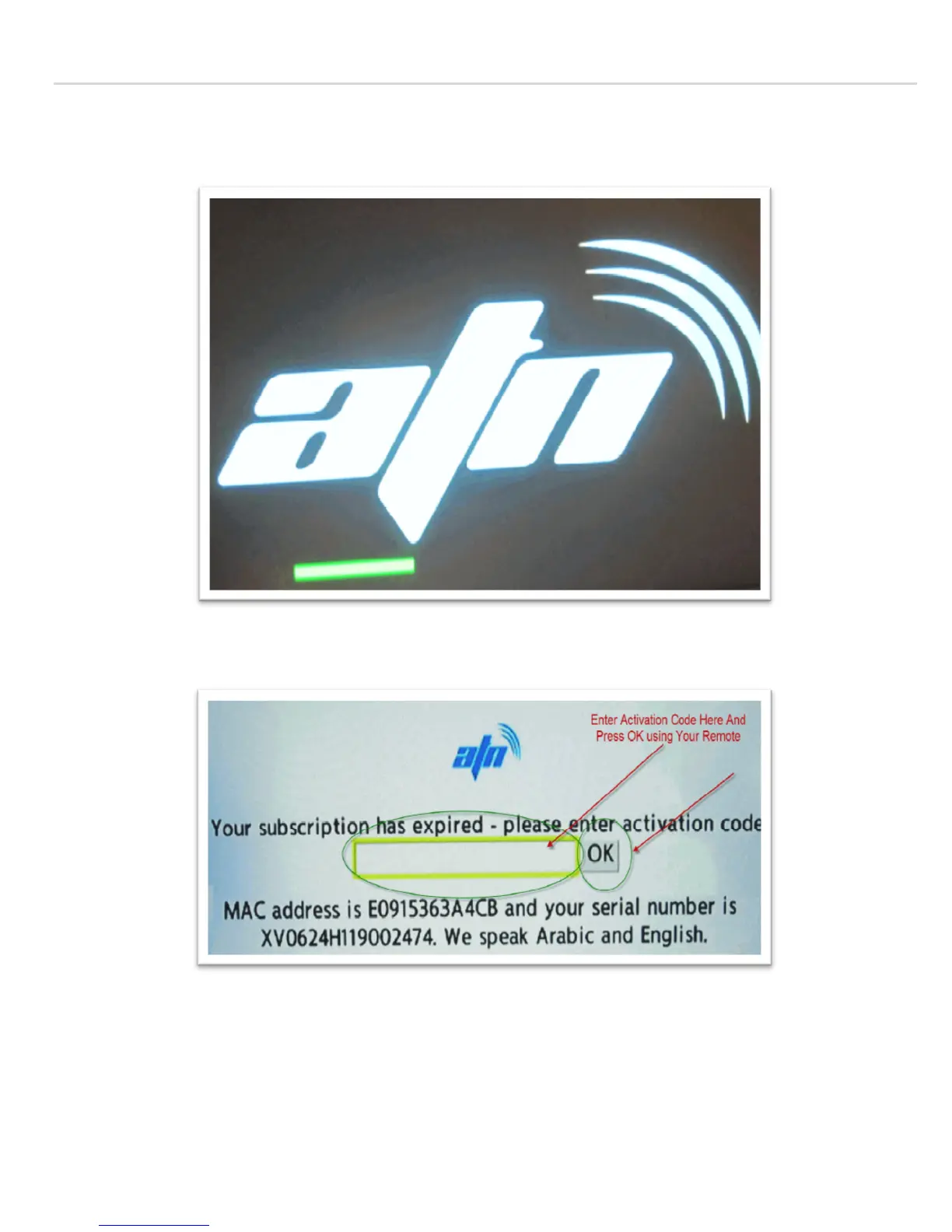
You will be see with the screen below asking for activation code:
Enter the activation code provided into the highlighted box above.
Note: make sure the digits entered are all Numeric, and press the OK button after each digit to make sure that it is
saved there, once you press on every digit you will get a drop down list containing characters & digits, you should
only select the digits by using the Up/Down arrow keys, and once you highlight that number, press the OK, then
the selected digit will show up in the box, enter all digits provided, and once you verify that the number is correct,
press the “OK” button, then y
ou get a confirmation popup window, that your receiver has been activated. And


 To Next Page