P a g e | 5
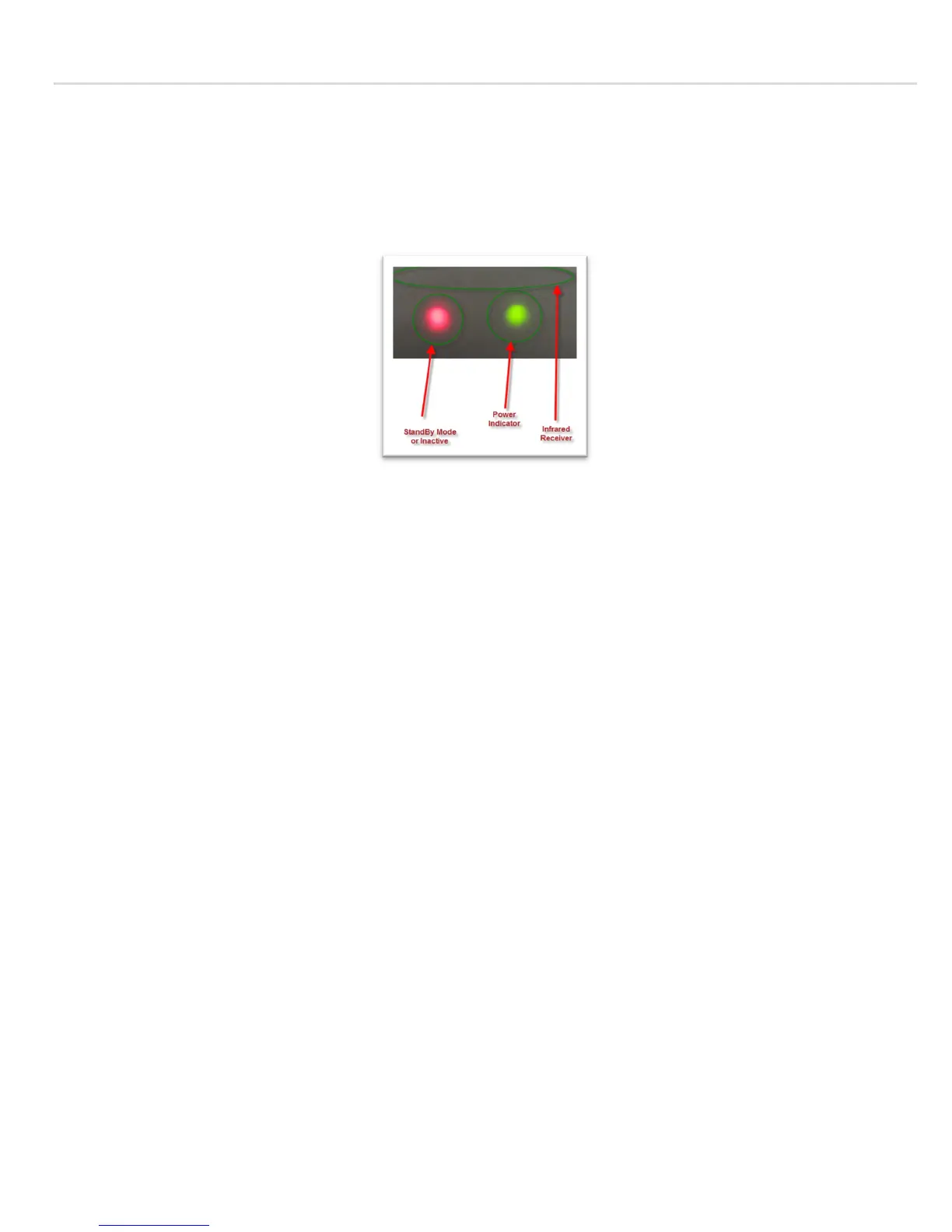
To know the status of the receiver, check the power/ (on-off-standby) indicator as shown in the
screenshot below:
If the On/off/Standby indicator is red, this
means that the receiver is not active.
If the receiver stays on one channel for more than 4 hours, the receiver will go into standby mode and
the TV screen
turns black; but the on/off/standby indicator will still be green, this means that the receiver
is i
n stand-by mode. If that indicator is red, this means that the receiver is off, and needs to be turned on
by pressing the power button on the remote control to bring the receiver back-on, or turning off then on
the switch from the back, this will reboot the receiver and turns ON again displaying channel “1” from the
“Channels” menu.
Note: When the receiver is switched off and if turned on again, the channel goes back to “1”, so you
need to press the “OK” button and
scroll to the channel you want, it does not memorize the last channel
viewed when the receiver is off. This default setting might be changed in later firmware.
A Simple wiring diagram to connect your receiver with the TV is shown below:


 To Next Page