2
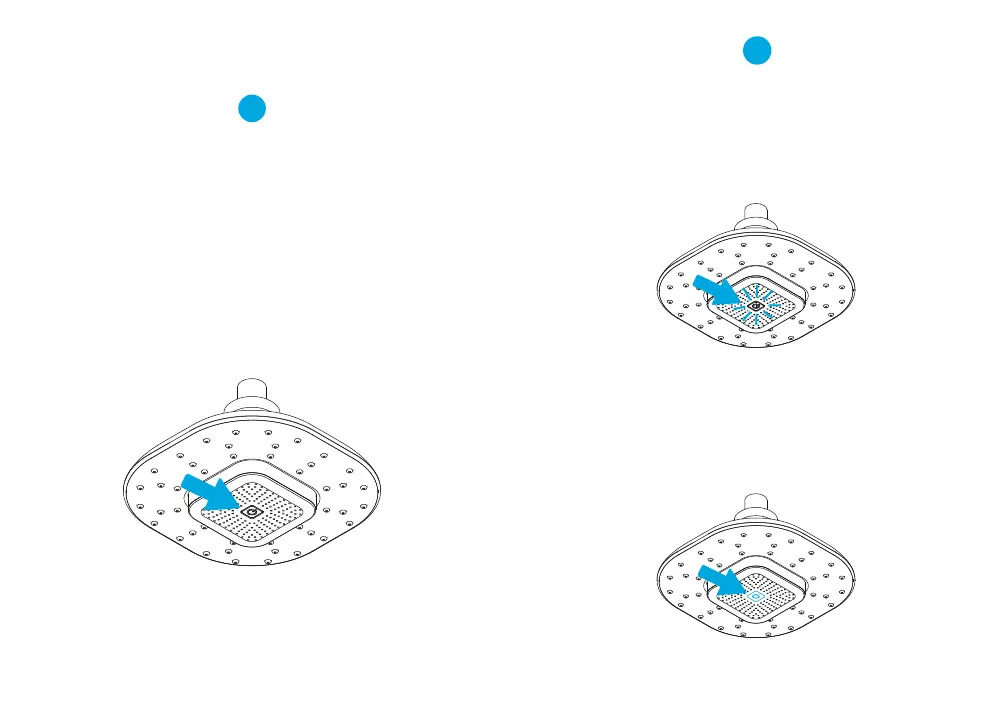
To pair the Atomi Shower Head with Bluetooth Speaker
with your device:
• Make sure your device has Bluetooth
®
capability.
• Turn the Atomi Shower Head with Bluetooth Speaker on.
• Watch for the power buon to fast-flash in blue,
indicating that it's in pairing mode.
• Follow the instructions of your device to pair the unit.
• Pair your device by selecting Atomi Shower Head with
Bluetooth Speaker from the Bluetooth
®
listing on your device
or by selecting YES. When successfully connected, you will
hear one beep and the power buon on the Atomi Shower
Head with Bluetooth Speaker will go steady blue.
• Press play on your device and use controls
on it to adjust desired volume.
1
The Atomi Shower Head with Bluetooth Speaker has only
one buon, the power buon.
To turn the Atomi Shower Head with Bluetooth Speaker ON:
Press the power buon for 2 seconds.
To turn the Atomi Shower Head with Bluetooth Speaker OFF:
Press the power buon for 2 seconds.
To pick up or end a call:
Sho press the power buon.
Volume is controlled only by the device connected
to your Shower Head with Bluetooth Speaker.
Powering on and Pairing the
Shower Head with Bluetooth Speaker
4 5



 To Next Page