3
Welcome and congratulations for purchasing
the Cobalt; the most intuitive, easy to use
and easy to read dive computer available. To
personalize your computer and learn more
about its many features, please take a few
minutes to read this manual before using.
A partial feature list:
Powerful ARM
®
microprocessor
Brilliant high resolution color display
Rechargeable battery
Leakproof magnetic buttons
Air and Nitrox to 99% O2
Preprogram up to 6 gas mixes
Gas switch underwater
Recreational RGBM algorithm
Customizeable user options
3D, fully compensated digital compass
600 hour dive memory
Automatic altitude adjustment
Maximum operating depth 330’ (100 meters)
a
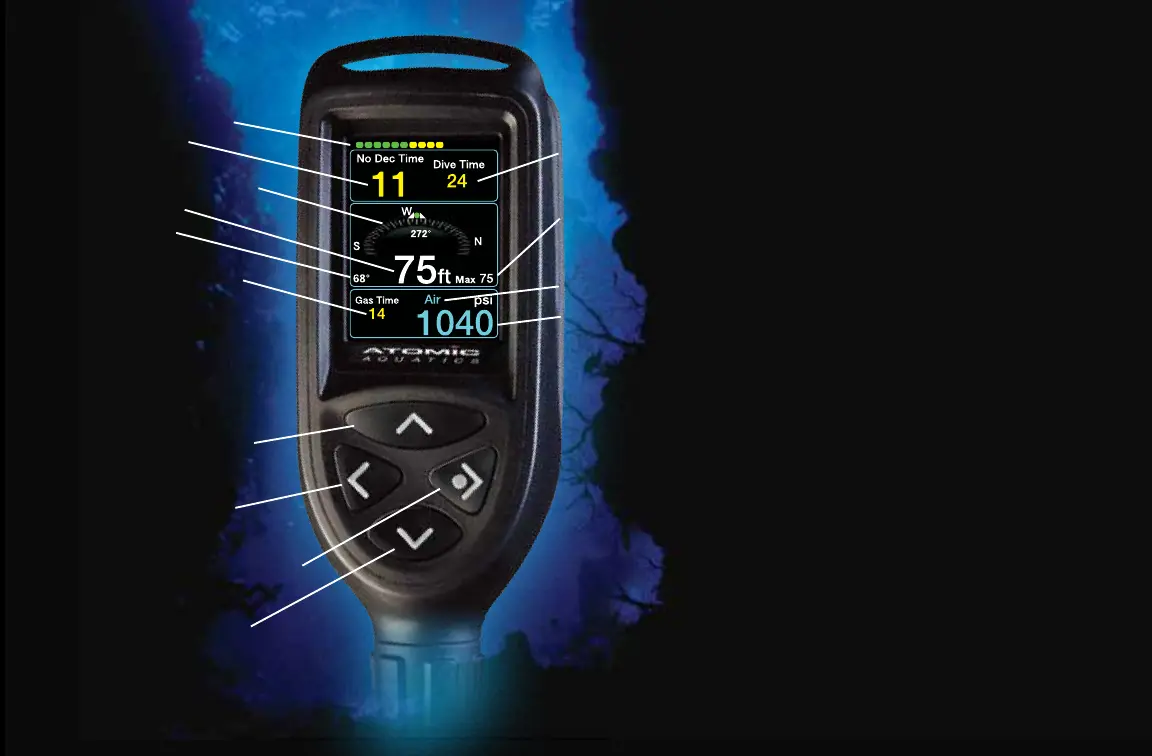
Dive Display
Saturation Indicator
No Deco Time
Compass with Heading
Current Depth
Temperature
Gas Time Remaining
(minutes)
Menu Navigation
Buttons
Scroll Up / Gas Switch
Back / Compass Off
Select / Wake / Compass On
Scroll Down or Screen
Brightness while diving
Dive Time
Maximum
Depth
Gas Mix
Tank
Pressure



 To Next Page